Set
up,
sync, and charge.
1.
Download and install the latest version
of
iTunes from www.itunes.com/download.
2. Connect iPod touch
to
the
USB
port
in your Mac
or
PC
using
the
included cable.
3.
Follow the onscreen instructions in iTunes
to
set
up
iPod touch and sync your music, videos, apps, photos,
and more.
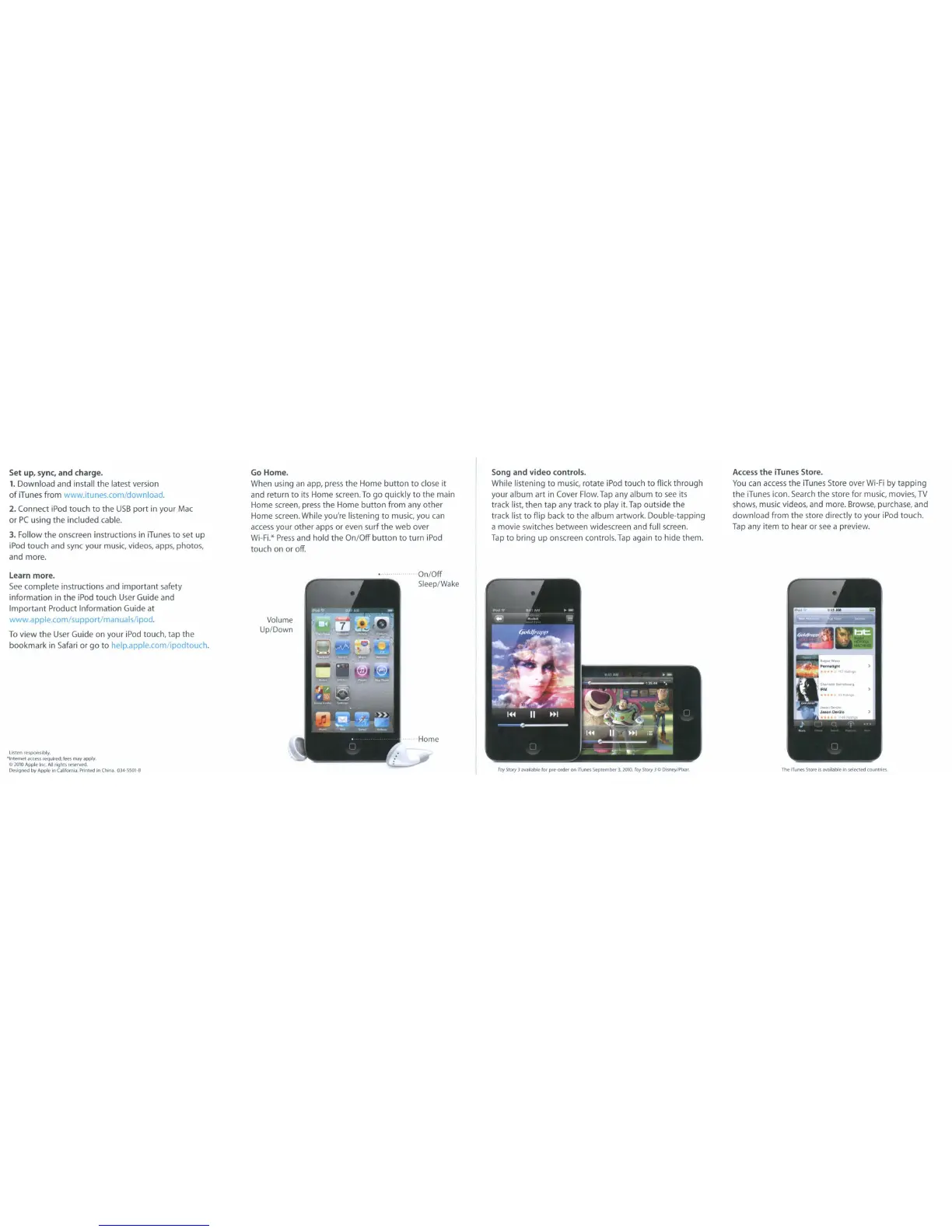
Go
Home.
When using
an
app, press
the
Home
bullon
to
close
it
and return
to
its Home screen.
To
go quickly
to
the main
Home screen, press the Home
bullon
from any
other
Home screen. While you're listening
to
music, you can
access
your
other
apps
or
even surf
the
web over
Wi-Fi."
Press
and hold the
On/Off
button
to
turn iPod
touch on or off.
Song and
video
controls.
While listening
to
music, rotate iPod touch
to
flick through
your album
art
in Cover Flow.
Tap
any album
to
see
its
track list, then tap any track
to
play it.
Tap
outside the
track list
to
flip back
to
the album artwork. Double-tapping
a movie switches between widescreen and full screen.
Tap
to
bring
up
onscreen controls.
Tap
again
to
hide them.
Access
the
iTunes Store.
You
can
access
the iTunes Store over
Wi-Fi
by
tapping
the
iTunes icon.
Search
the store for music, movies,
TV
shows, music videos, and more. Browse, purchase, and
download
from
the
store directly
to
your iPod touch.
Tap
any item
to
hear or
see
a preview.
Learn more.
See
complete instructions and
important
safety
information in
the
iPod touch User Guide and
Important
Product Information Guide at
www.apple.com/supportlmanuals/ipod.
To
view
the
User Guide on your iPod touch, tap
the
bookmark in Safari or
go
to
help.apple.com/ipodtouch.
llsten
responsibly.
"Inteffi('l
Keeu
feQuired:
fees may apply
C
2010
Apple
Inc.
All
righli
reserved.
Dt?signed
by
APj)Ie
III
Cahfomla.
Printed
In
Chin".
034-5501-8
Volume
Up/Down
On/Off
Sleep/Wake
. Home
roy
5fOt)'
J
available
fOf
pre-ord~
on
lTunes
september
3.
2010.
roy
5tOl)'
J
Cl
Disney/Pbtar.
The
fTunes
Slott'
Is
available
In
selected
countries.



 To Next Page