Xserve Logic Board -
9
ATA Controller Board
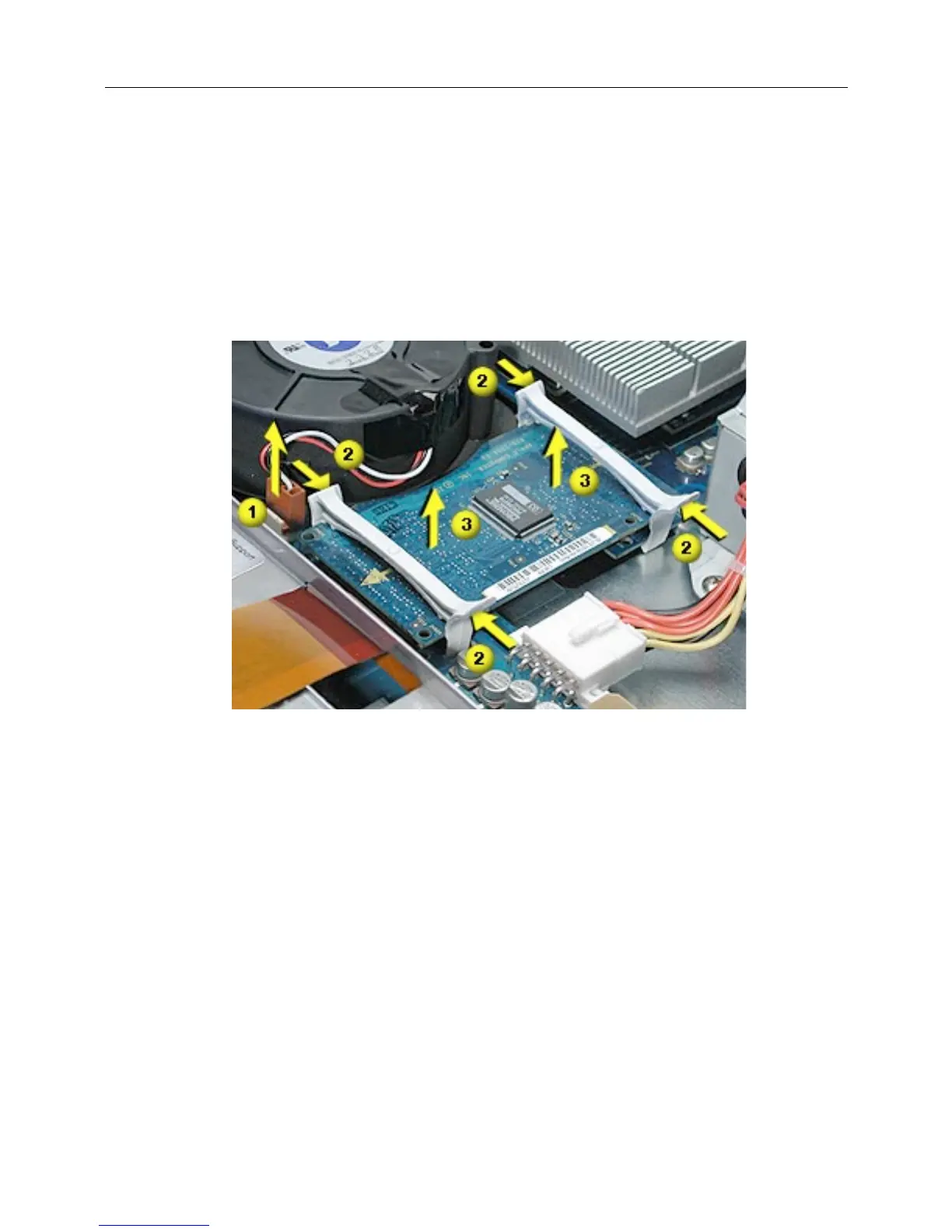
1. If necessary, disconnect the blower cable near the ATA controller board.
(Figure 11)
2. Press in on both ends of the clip securing the right side of the ATA controller board and
remove the clip from the server. Repeat for the clip on the left side of the board.
3. Lift the ATA controller board straight up to disconnect it from the drive interconnect and
logic boards and remove the board from the server.
Figure 11



 To Next Page