2 Disassembly
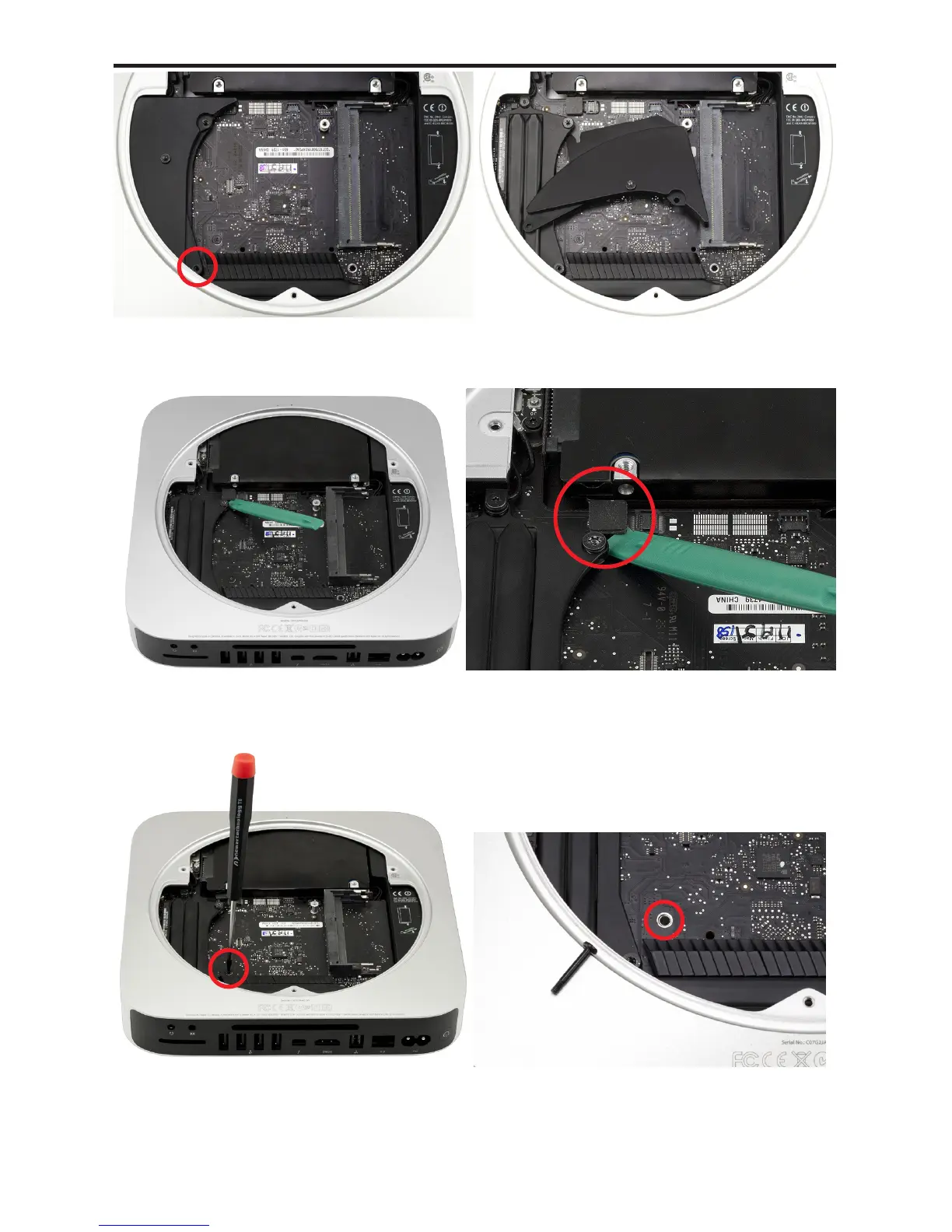
Remove the Torx T6 screw from the fan cowling. The cowling will easily
come o once the screw is out. Set it aside to proceed.
Using the green pry tool, lift up on the lower hard drive cable connector
to release it from the logic board.
Remove the long Torx T6 screw from the chassis. It goes through the
logic board and into the top cover.
⑫
⑮
⑬
⑭
⑯
⑰
⤹
Mac mini 2012 Bluetooth Shielding Instructions



 To Next Page