Chapter 1
Getting Started
11
Setting up Your Mac mini
Position your Mac mini so that it’s right side up or on its side, but not upside down.
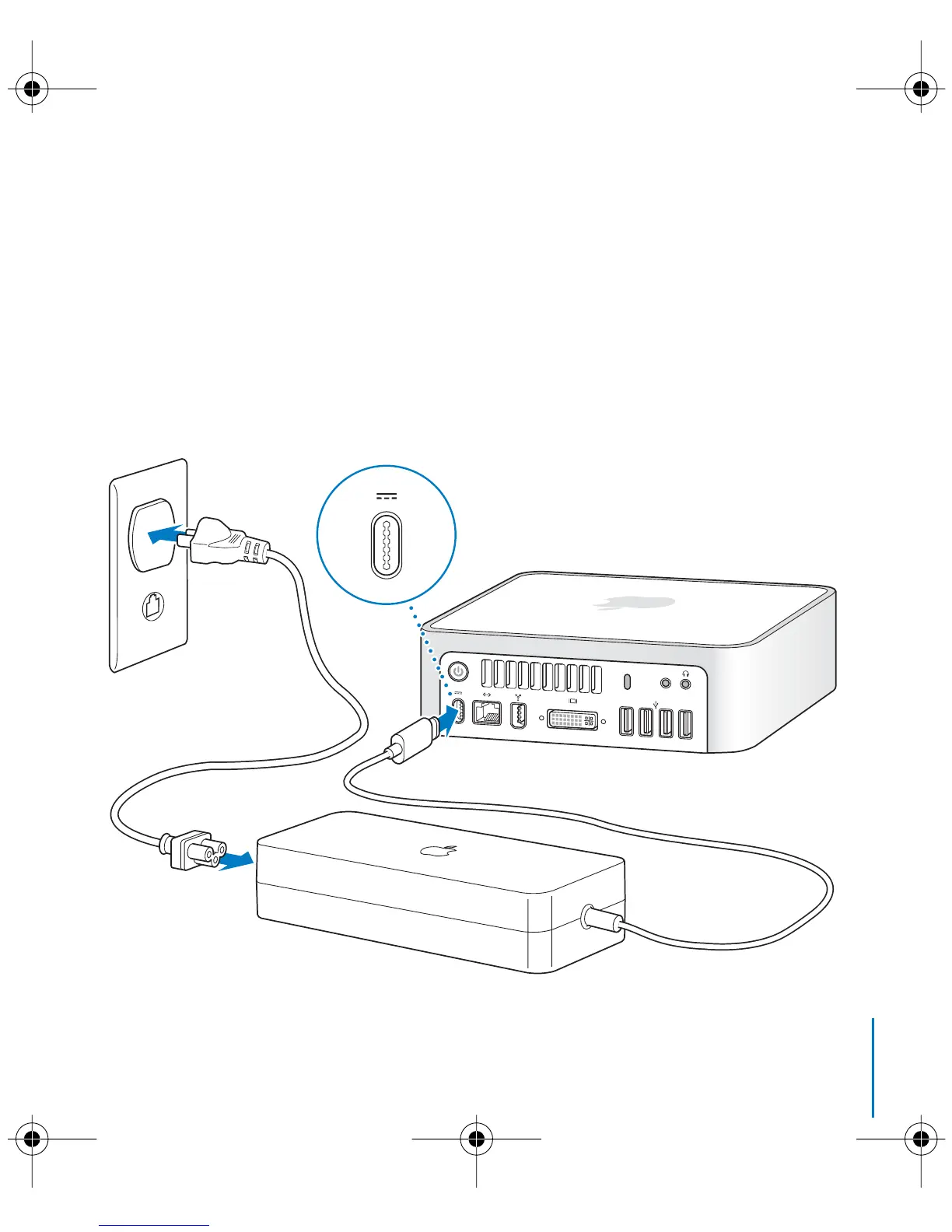
Use the power adapter that came with your Mac mini. Other power adapters don’t
work with this Mac mini. Follow the steps on the next several pages to set up.
Step 1: Plug the AC cord firmly into the power adapter, and then plug the cord
from the power adapter into your computer. Plug the power adapter into a
grounded power outlet.
,
LL3734M40.book Page 11 Thursday, July 6, 2006 3:45 PM



 To Next Page