Chapter 1
Getting Started
13
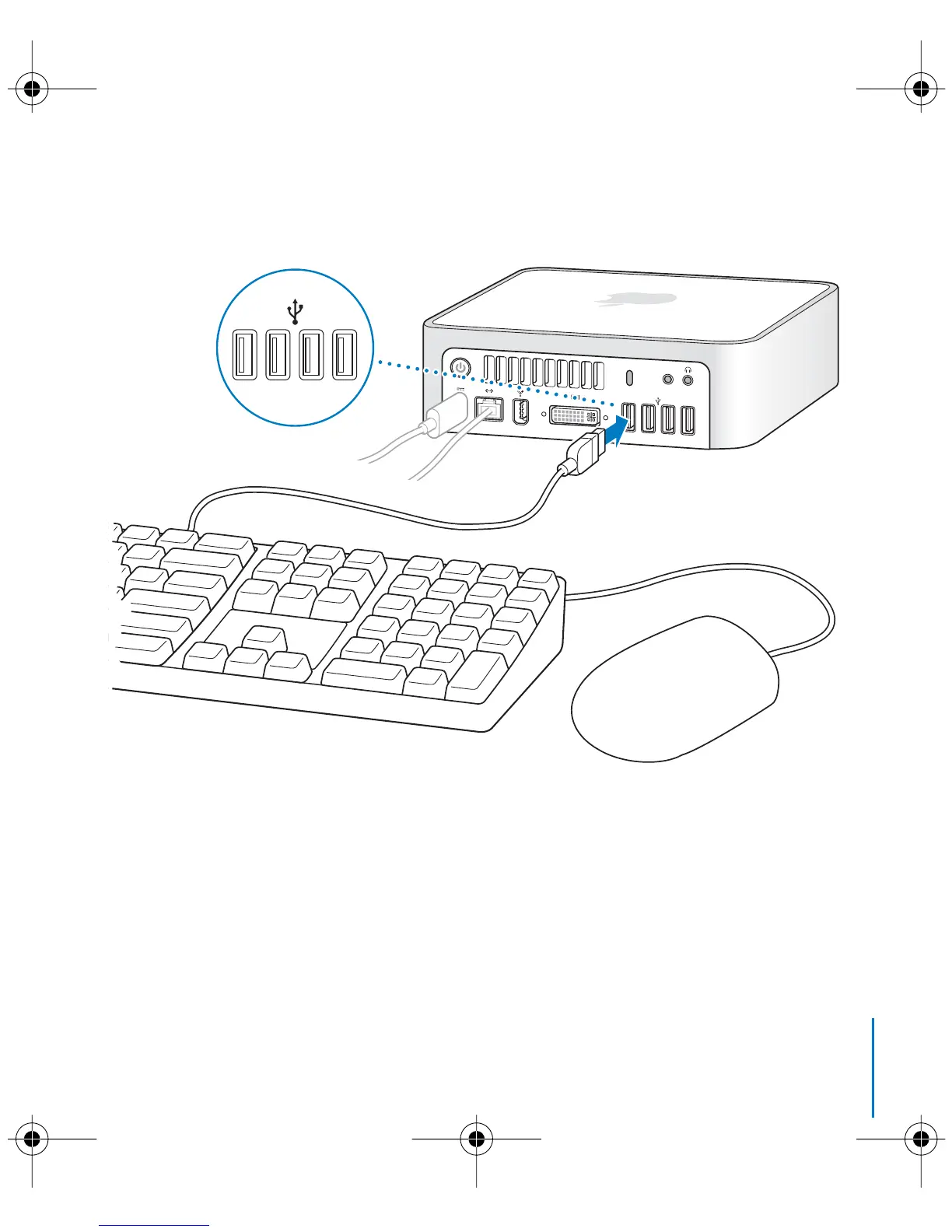
Step 3: Connect the USB cable from your keyboard and mouse.
Your Mac mini does not come with a keyboard or a mouse, but you can use almost any
USB keyboard and mouse with your computer. If your keyboard has a USB (d
) port, you
can plug your mouse into the USB port on the keyboard. If it doesn’t, you can plug the
mouse into a USB (d
) port on the back of your computer.
,
LL3734M40.book Page 13 Thursday, July 6, 2006 3:45 PM



 To Next Page