Chapter 1
Getting Started
15
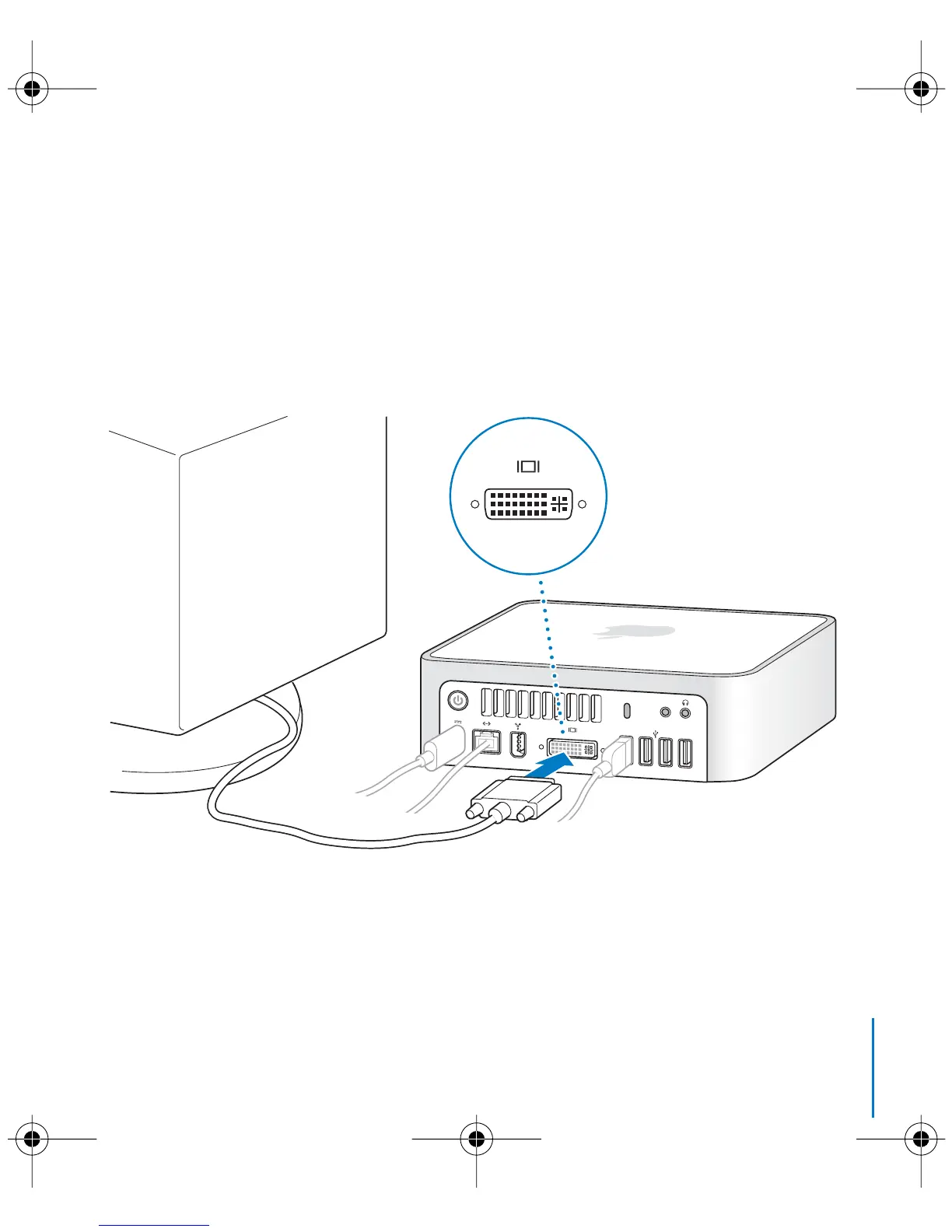
Step 4: Connect the DVI cable from your display to the video port.
Connect a DVI display to the video out (£
) port on the back of your Mac mini.
To connect a VGA display, use the Apple DVI to VGA Adapter that came with your
computer. For more information about connecting a display, see the guidelines in
Chapter 2, “Getting to Know Your Mac mini.”
Note:
Your Mac mini does not come with a display.
Important:
Don’t place anything on top of your Mac mini. Objects placed on top may
interfere with the optical drive or the AirPort or Bluetooth
®
wireless signal.
,
LL3734M40.book Page 15 Thursday, July 6, 2006 3:45 PM



 To Next Page