38 Chapter 3 Using Your Mac mini
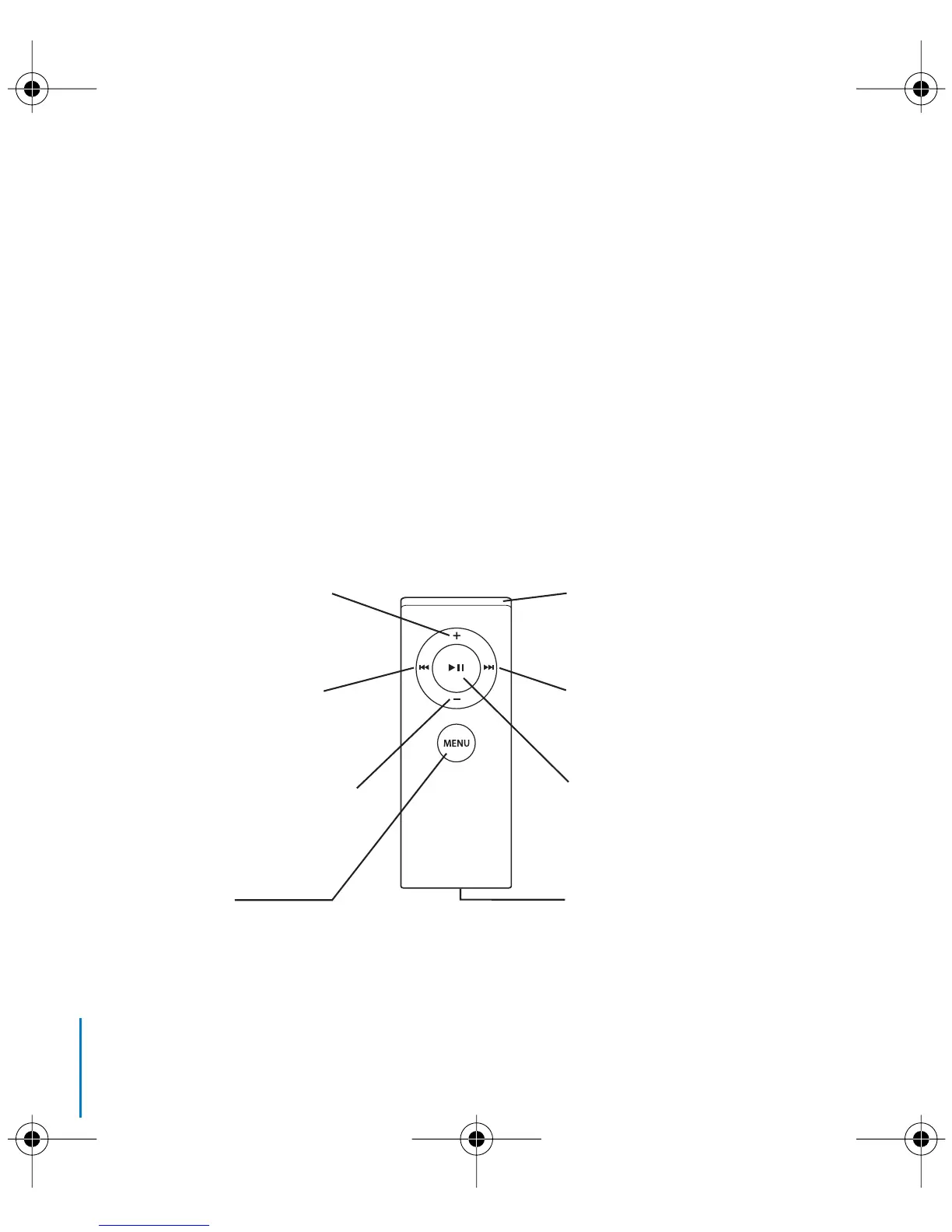
To use your Apple Remote, point it at the front of the Mac mini and:
 Press the Menu (») button to open or close Front Row, or to return to the previous
menu when you’re navigating through Front Row.
 Press the Next/Fast-forward (‘) or Previous/Rewind (]) button to cycle through the
applications in Front Row.
 Press the Volume Up (∂) and Volume Down (D) buttons to move through a menu or
adjust the volume.
 Press the Select/Play/Pause (’) button to select a menu item, or to play or pause a
song, slideshow, video, or DVD.
 Press the Next/Fast-forward (‘) or Previous/Rewind (]) button to skip forward or
backward through your media content. Press and hold to fast-forward or rewind.
Next/Fast-forward button
Select/Play/Pause button
Battery compartment
Volume/Menu Up button
IR window
Volume/Menu Down button
Previous/Rewind button
Menu button
LL3734M40.book Page 38 Thursday, July 6, 2006 3:45 PM



 To Next Page