50 Chapter 3 Using Your Mac mini
Note: You can also connect to another Macintosh using IP over FireWire instead of
Ethernet. FireWire 400 can be up to four times faster than 100Base-T Ethernet. For more
information, choose Help > Mac Help and search for “FireWire network.”
Connecting Audio Devices
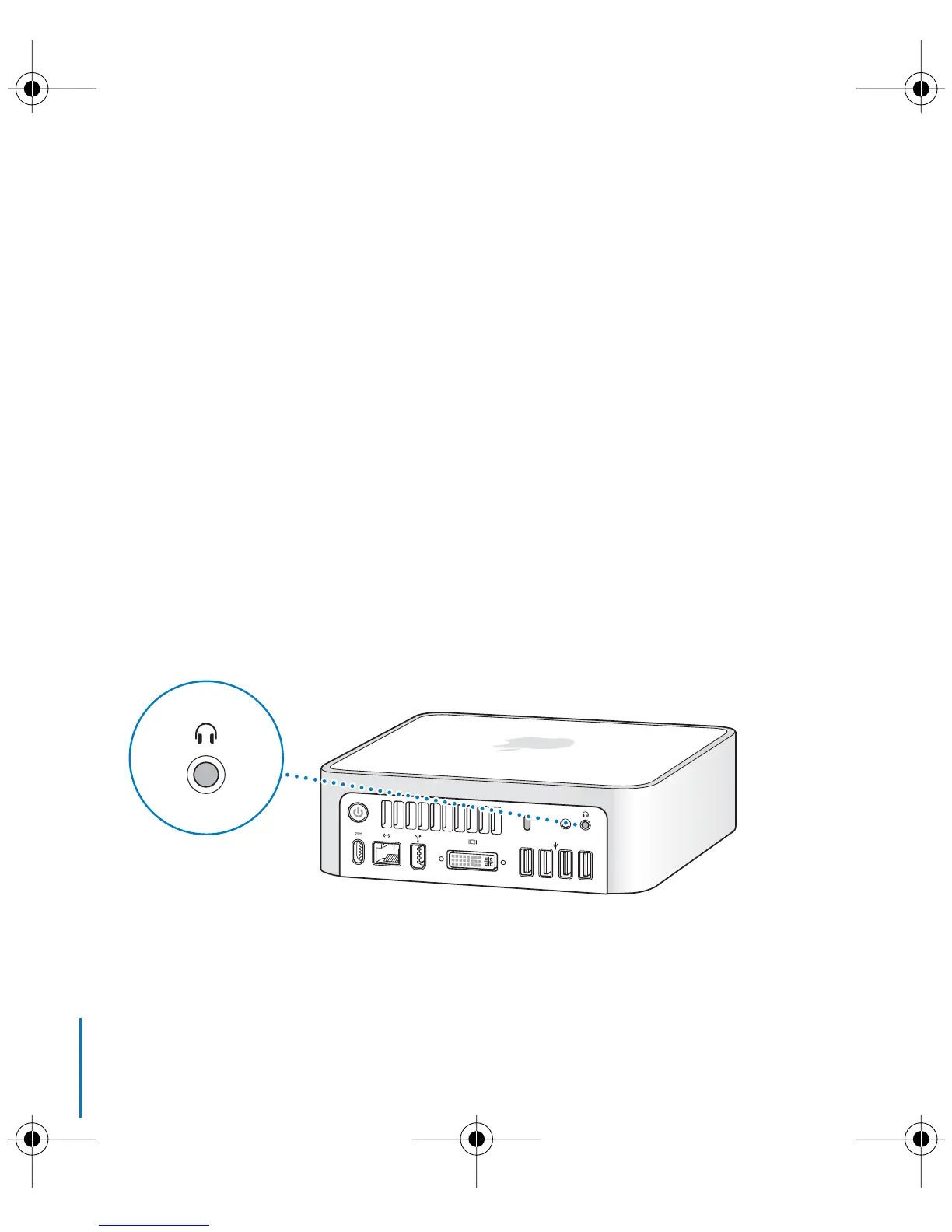
Your Mac mini comes with an headphone out/optical digital audio out (f) port and an
audio in/optical digital audio in (,) port.
Headphone Out/Optical Digital Audio Out Port
You can connect external powered speakers, headphones, 5.1 surround systems, and
other sound output devices to the headphone out/optical digital audio out (f) port.
The headphone port is also a S/PDIF stereo 3.5 mini-phono jack. When you plug a pair
of headphones or another device into the mini-phono jack, sound comes through the
device instead of the Mac mini speaker. You can also stream music to your home stereo
with iTunes and an AirPort Express.
,
Headphone out/optical
digital audio out port
LL3734M40.book Page 50 Thursday, July 6, 2006 3:45 PM



 To Next Page