MacBook Pro (13-inch) Symptom Charts — Display 58
2010-09-14
Display
Display Anomalies
Quick Check
Symptom Quick Check
Display Anomalies
• Incorrect/missing colors
• Distorted/blurred image
• Pixel anomalies
• Vertical/horizontal lines
• Non-uniform brightness
• Image icker
• Image persistence
1. Allow display to reach normal operating
temperature for about 15 minutes before
evaluating front-of-screen performance.
2. Check display preferences for use of custom
display prole.
3. Check brightness setting.
4. Check for Software Updates.
5. Clean glass panel while checking for dust/debris.
6. Go to Deep Dive: General
Deep Dive: General
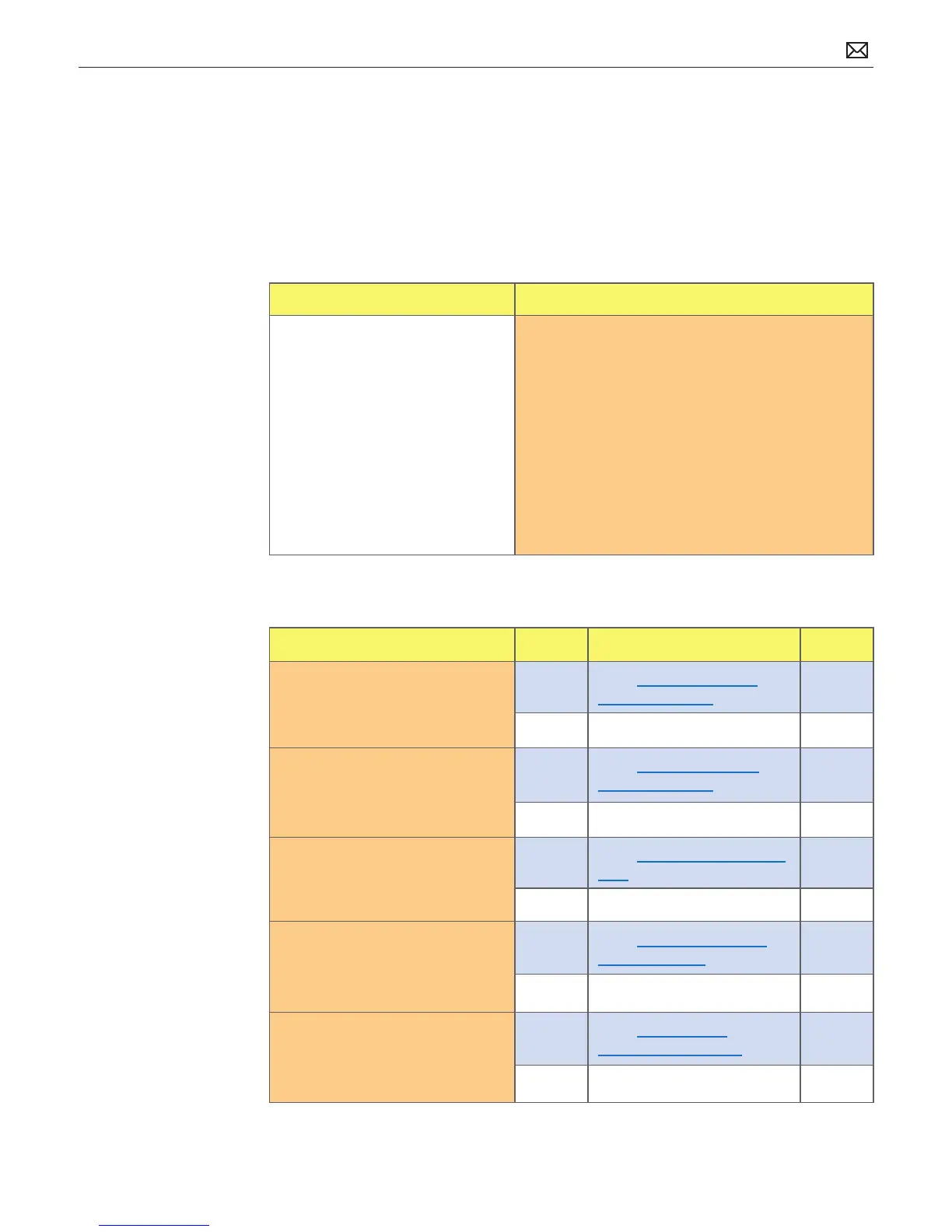
Check Result Action Code
1. Verify if user’s issue is incorrect/
missing colors.
Yes Go to Incorrect/Missing
Colors Deep Dive.
No Go to step 2.
2. Verify if user’s issue is distorted/
blurred image.
Yes
Go to Distorted/Blurred
Image Deep Dive.
No Go to step 3.
3. Verify if user’s issue is bright or
dark pixel anomalies.
Yes
Go to Pixel Anomalies Deep
Dive.
No Go to step 4.
4. Verify if user’s issue is vertical or
horizontal lines.
Yes
Go to Vertical/Horizontal
Lines Deep Dive.
No Go to step 5.
5. Verify if user’s issue is non-
uniform brightness.
Yes
Go to Non-uniform
Brightness Deep Dive.
No LCD functioning OK.



 To Next Page