41Chapter 3 Boost Your MacBook Pro
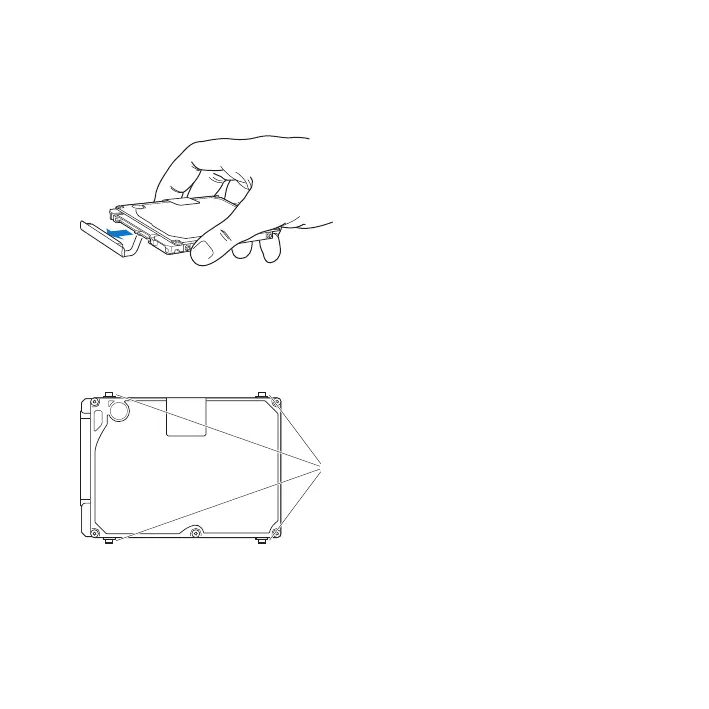
6 Holdthedrivebyitssidesandgentlypulltheconnectorontheleftsideofthedrive
todisconnectit.Don’tpressthedrivebetweenyourngers,andavoidtouchingthe
circuitryontheundersideofthedrive.
Theconnectorisattachedtoacableandremainsintheharddiskdrivebay.
Important: Therearefour(4)mountingscrewsonthesidesofyourharddiskdrive.
Ifyourreplacementdrivedoesn’tincludemountingscrews,removetheonesfrom
yourolddriveandmountthemonthereplacementdrivebeforeyouinstallit.
Mounting screws
7 Attachtheconnectortotheleftsideofthereplacementdrive.



 To Next Page