MacBook Pro Basics— General Information 8
Power Adapter
The system was designed to use the new Apple 85-Watt Portable Power Adapter. This power
adapter comes with the new MagSafe power connector. It is not compatible with any previous
notebook computer.
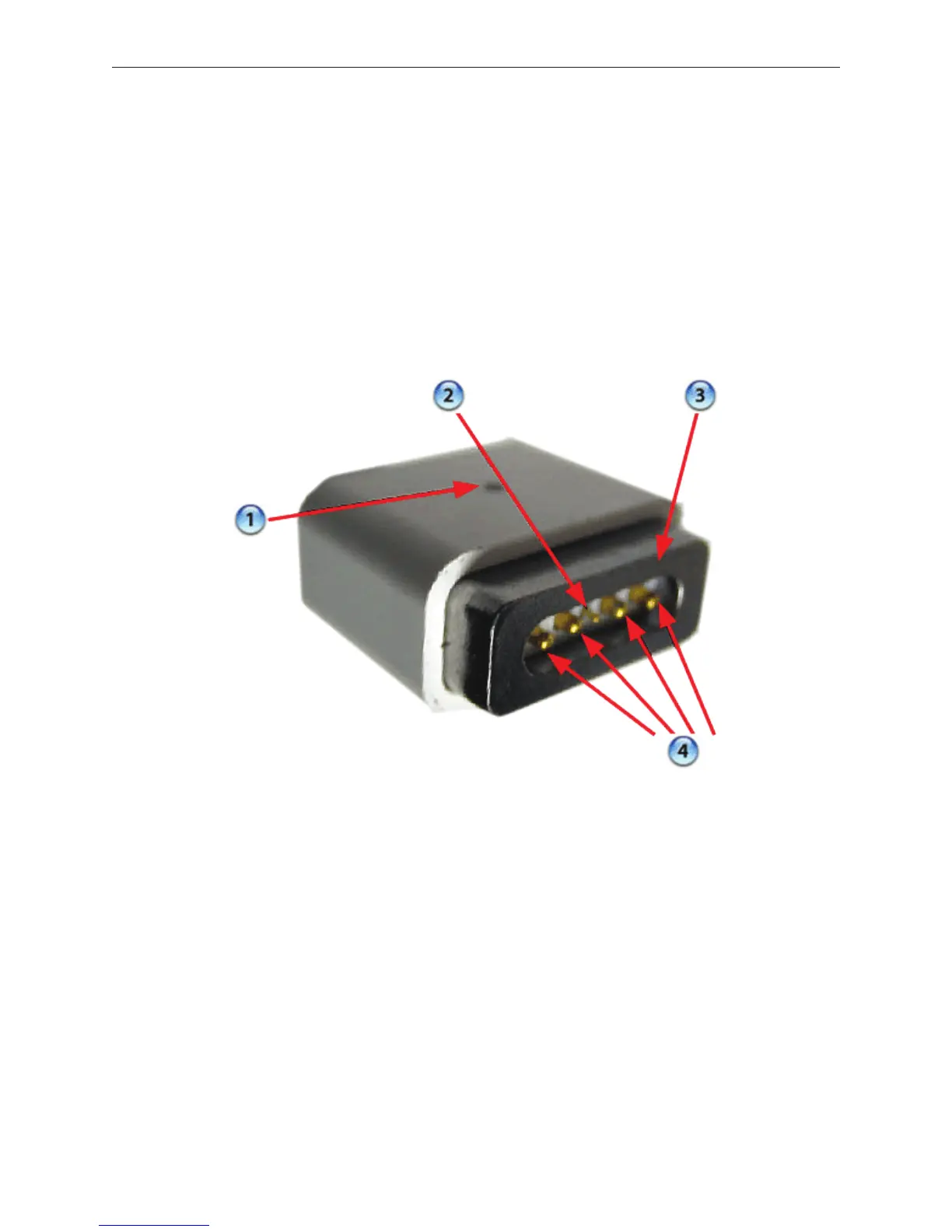
The MagSafe connector consists of a magnet and an attraction plate. The magnet is placed
within the computer. The attraction plate is part of the DC plug on the power adapter.
The DC plug consists of ve pins. Each pin is spring loaded. The center pin is a sense pin (2). This
center pin must make contact with the computer before power is applied. Power is carried on
the remaining four pins. The outer pins are positive terminals, the inner pair are the return paths.
The pin pairs to either side of the sense pin are redundant. As such, the plug can be put in two
ways. To support this design, the power LED (1) is on both side of the connector. The behavior of
the LED is the same as before, amber for charging the battery, green for supplying power, but not
to charge the battery.





 To Next Page