10 Chapter 1
Getting Started
Note:
To use a dial-up connection, you need the external Apple USB Modem, available
for purchase from the online Apple Store at www.apple.com/store or from an Apple
Authorized Reseller. Plug the Apple USB Modem into a USB port on the MacBook Pro,
and then connect a phone cord (not included) from the modem into a phone wall jack.
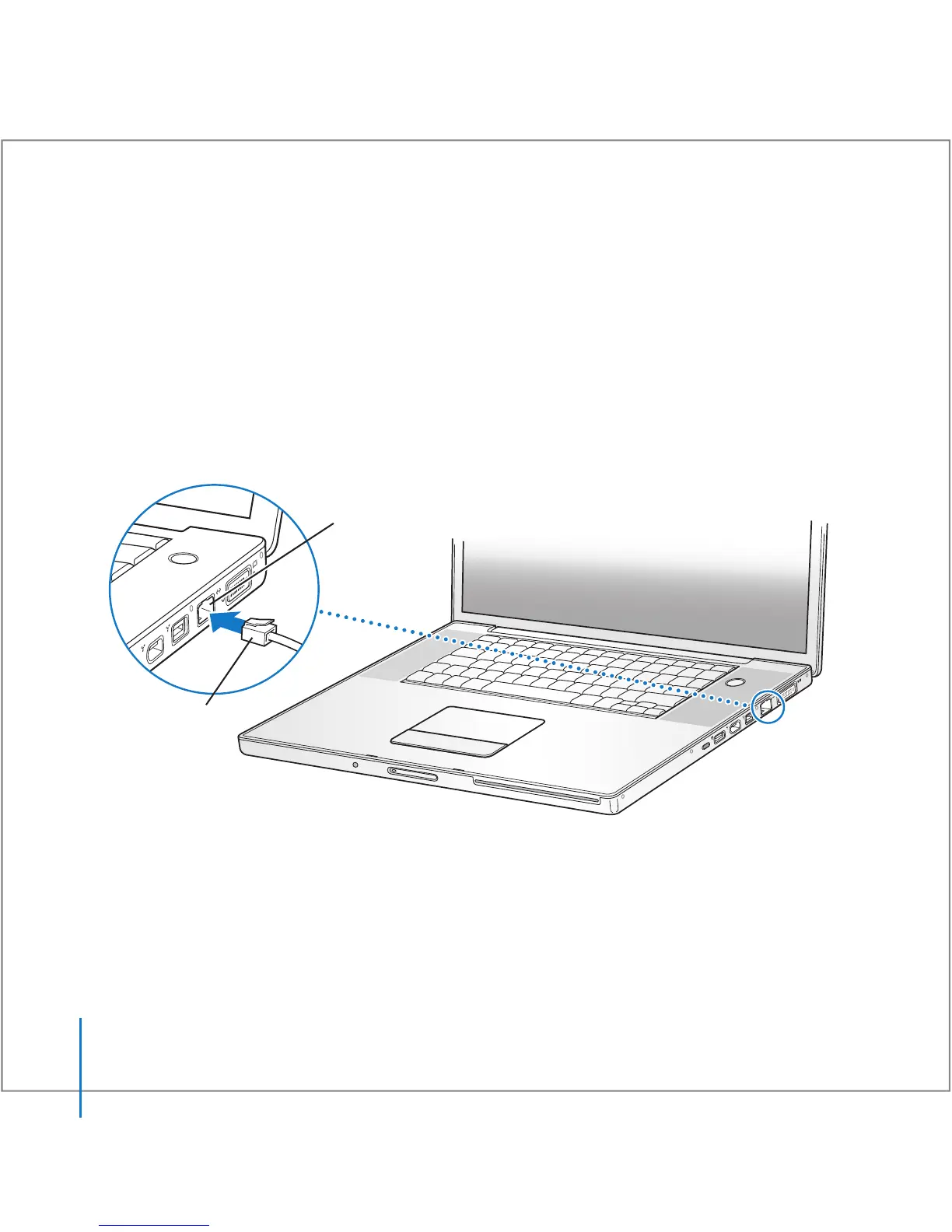
To connect to a DSL or cable modem or an Ethernet network:
m
Connect the cable (not included) to your DSL or cable modem as shown in the modem
instructions, or connect the Ethernet cord (not included) to the Ethernet hub or outlet.
Then connect the other end of the cord to the computer’s Ethernet port.
Note:
If you want to use AirPort to connect wirelessly, AirPort detects available wireless
networks after you turn on your computer. If necessary, choose “Turn AirPort on” from
the AirPort (Z
) status menu in the menu bar, and then choose your network from the
AirPort status menu.
®
Ethernet
cable
®
Gigabit Ethernet port
(10/100/1000 Base-T)
G





 To Next Page