© 2006, 2008 Apple Inc. All rights reserved. MacBook (13-inch) Memory (DIMMs) 4
Removing the Installed DIMMs
Note: Before you can remove the hard drive, you must remove the battery and RAM door.
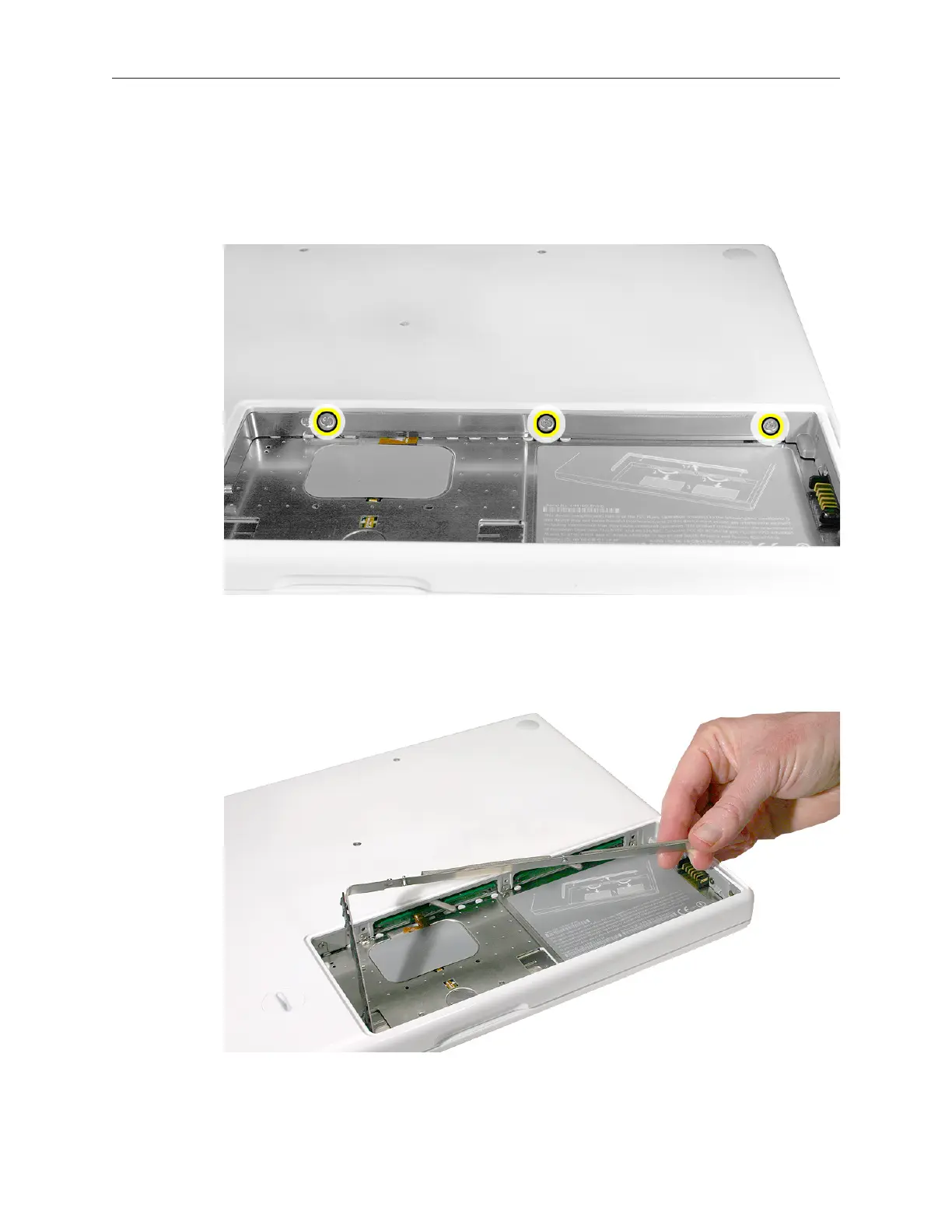
Loosen—but do not try to remove—the three captive screws along the RAM door. 1.
Holding the long end of the L-shaped RAM door, pivot it out from the battery bay. If 2.
necessary, use a nonmagnetic, plastic card (such as a library card) to tilt the RAM door up
and out of the battery bay. Be careful not to bend the RAM door.



 To Next Page