MacBook (13-inch) Take Apart — Logic Board 117
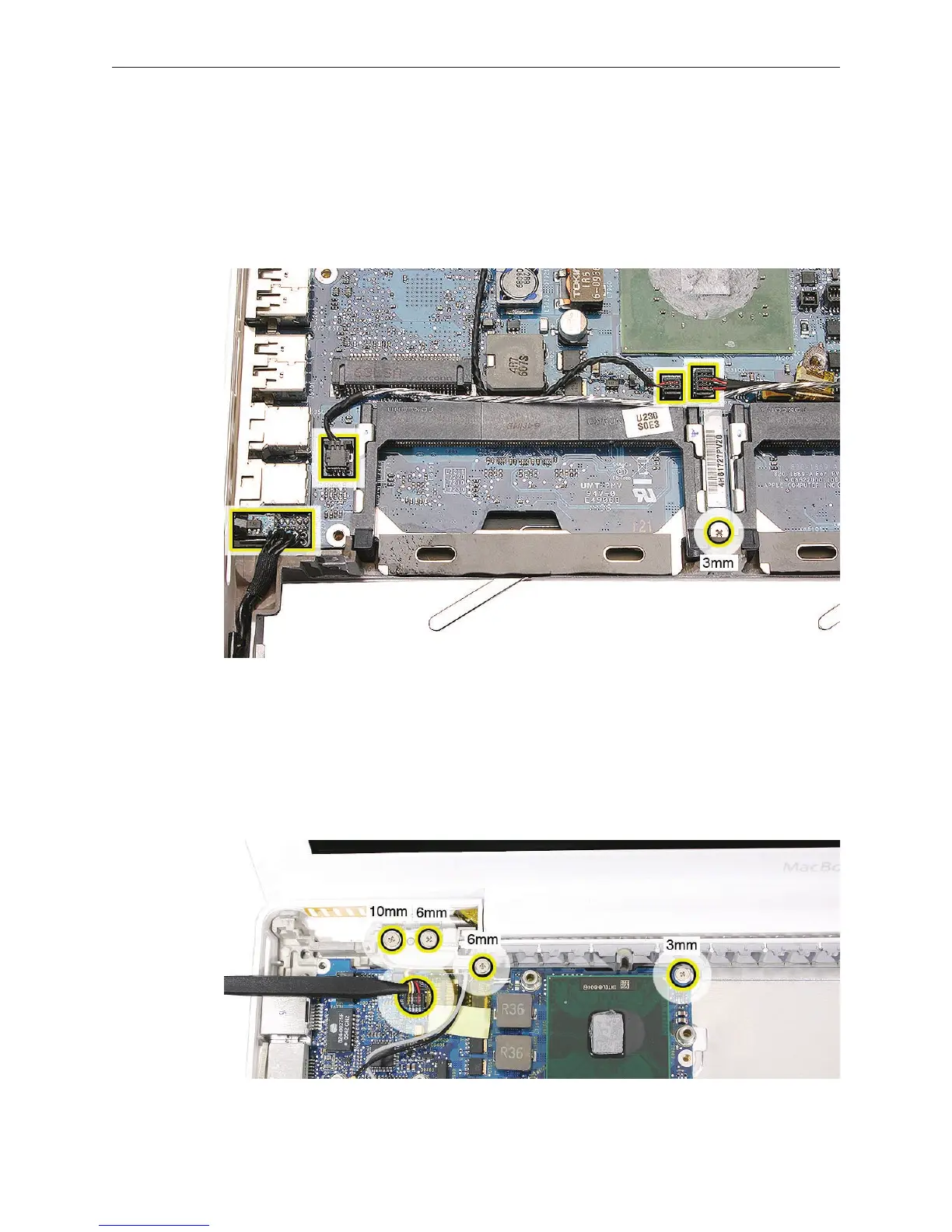
Remove the 3-mm long screw located between the memory card carriers, and disconnect
the following cables:
• sleep switch connector (use a black stick to raise up and disconnect it)
• microphone cable
• left speaker cable
• subwoofer/right speaker cable
Place a heavy box behind the display to help support it (refer to “Clutch Block, Left” for more
details). Disconnect the inverter cable, and remove the following screws:
• 10-mm long thick-stemmed outer screw, closest to the left corner of the bottom case
• 6-mm long thick-stemmed middle screw
• 6-mm long thin-stemmed inner screw, closest to the antenna cables
• 3-mm long screw from the upper right area of the board.
5.
6.



 To Next Page