MacBook (13-inch) Take Apart — Midframe 149
Procedure
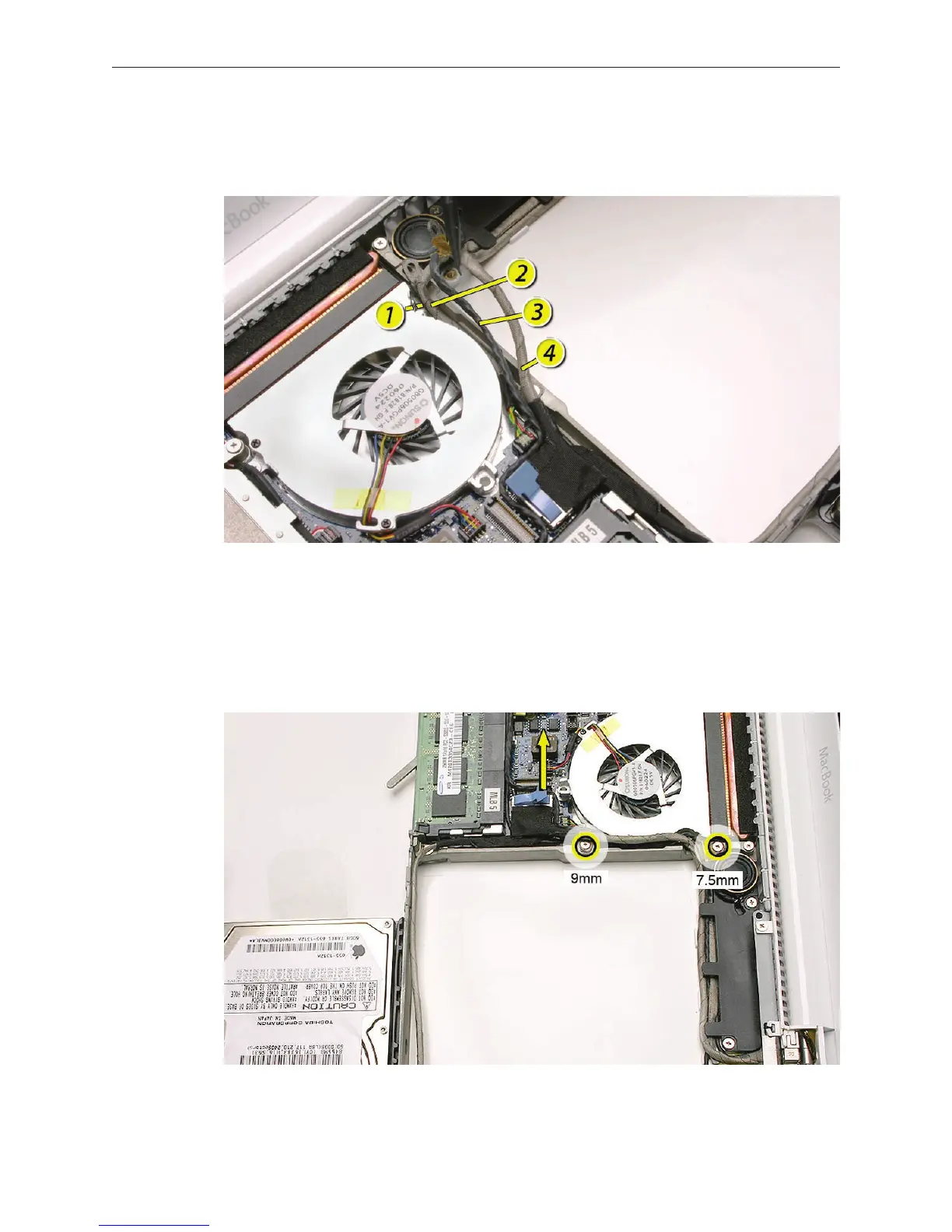
Note the orientation of the cables that route over and to the left of the midframe.
Remove the two ground screws:
• 9-mm long screw from the center of the midframe
• 7.5-mm long screw near the top of the midframe, next to the subwoofer
Warning: The subwoofer cone is a sensitive device. Avoid touching the subwoofer cone.
Disconnect the LVDS cable by pulling the pull-tab straight up.
1.
2.
3.


 To Next Page
 Loading...

