MacBook (13-inch) Take Apart — Midframe 150
Move aside the LVDS cable and the hard drive connector cable.
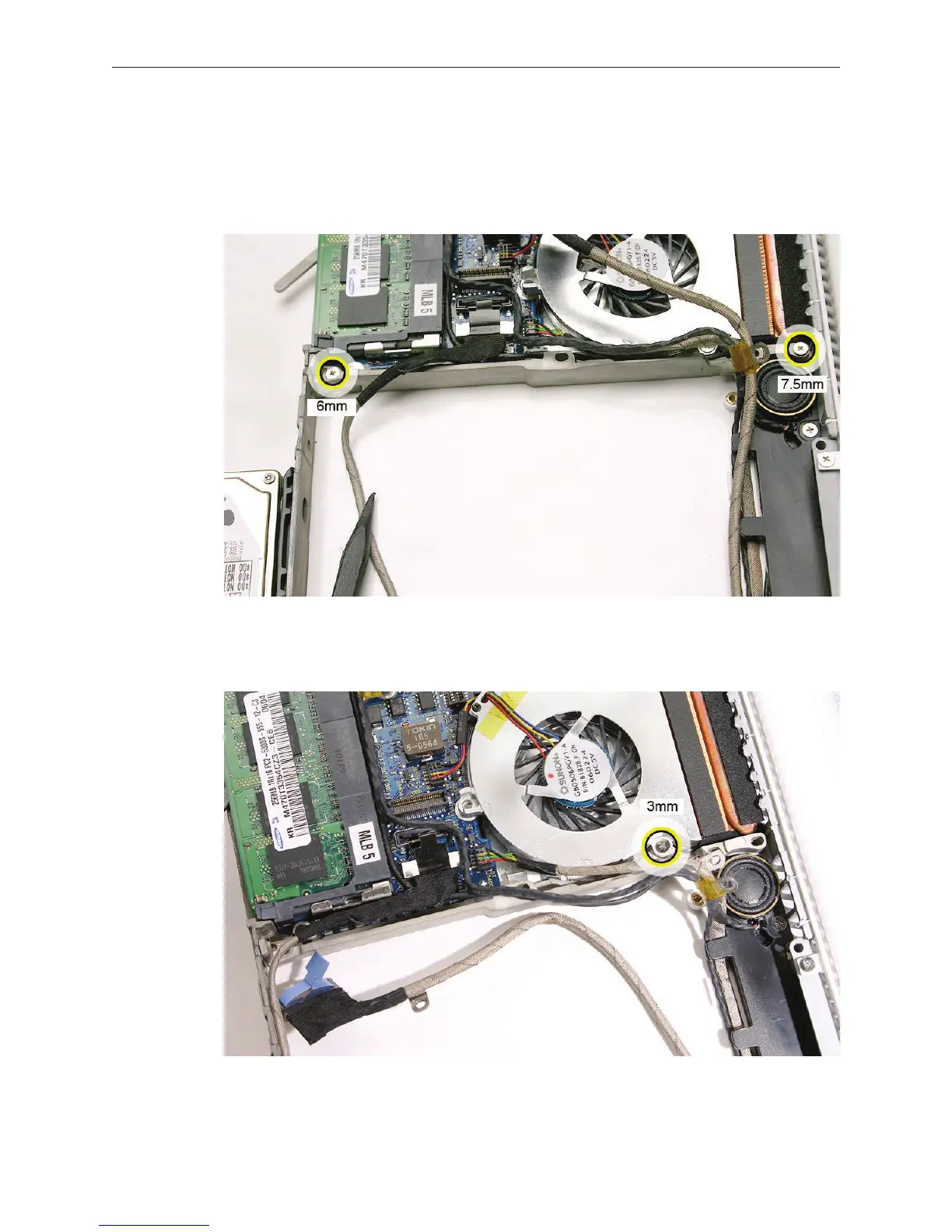
Remove the two screws from the ends of the midframe:
• 7.5-mm long screw at the top
• 6-mm long screw at the bottom
Without straining the cables between the frame and the midframe, lift them out to reach the
3-mm long fan screw.
4.
5.
6.


 To Next Page
 Loading...

