MacBook (13-inch) Take Apart — Midframe 151
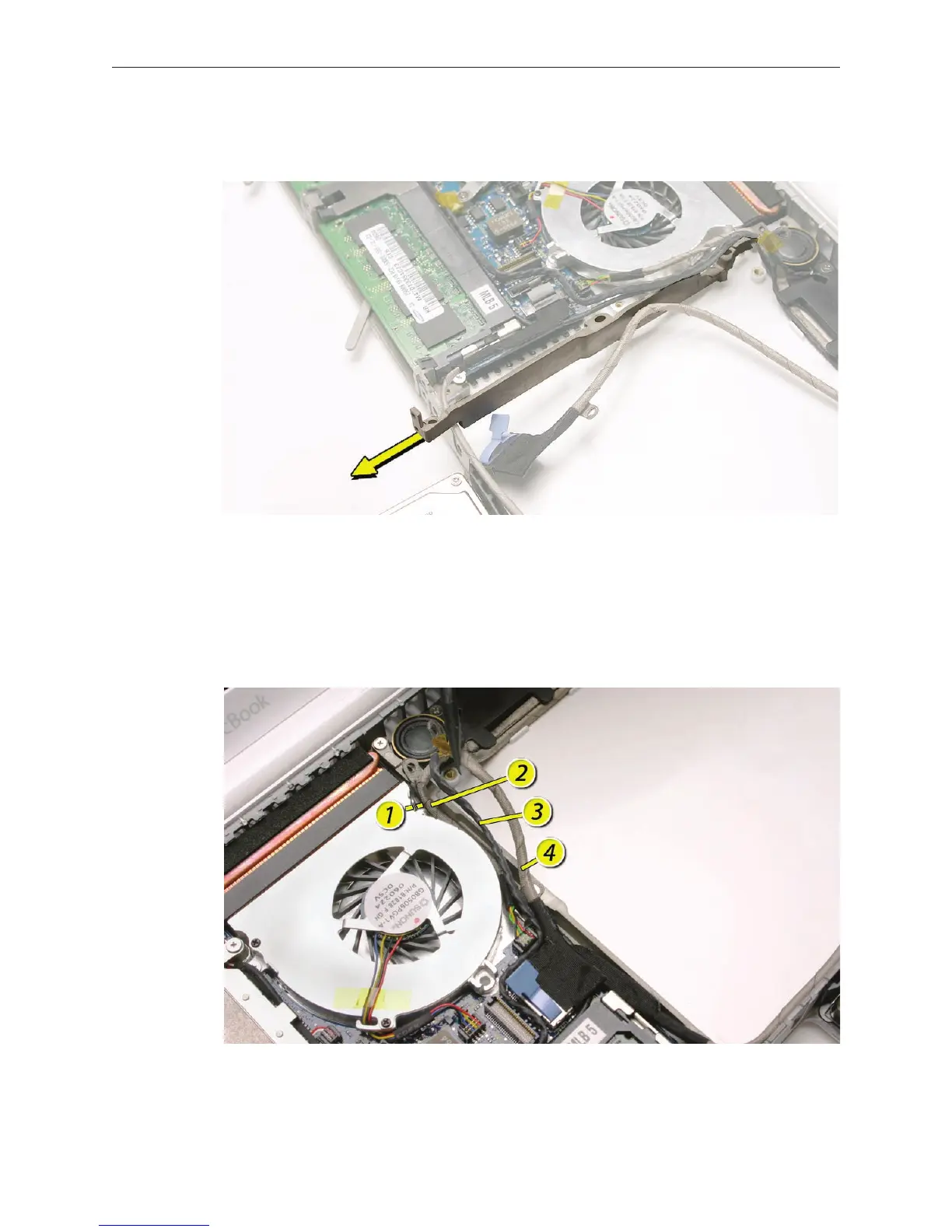
Being careful not to strain any nearby cables or components, tilt out the lower end of the
midframe, and remove the midframe from the bottom case.
Replacement Note: When tucking in the cables into the channel between the fan and the
midframe, be sure to install them in this order:
• Microphone cable rst
• Bluetooth cable second
• Speaker cable third
• LVDS cable fourth
7.


 To Next Page
 Loading...

