MacBook (13-inch) Take Apart — C-Channel 167
Procedure
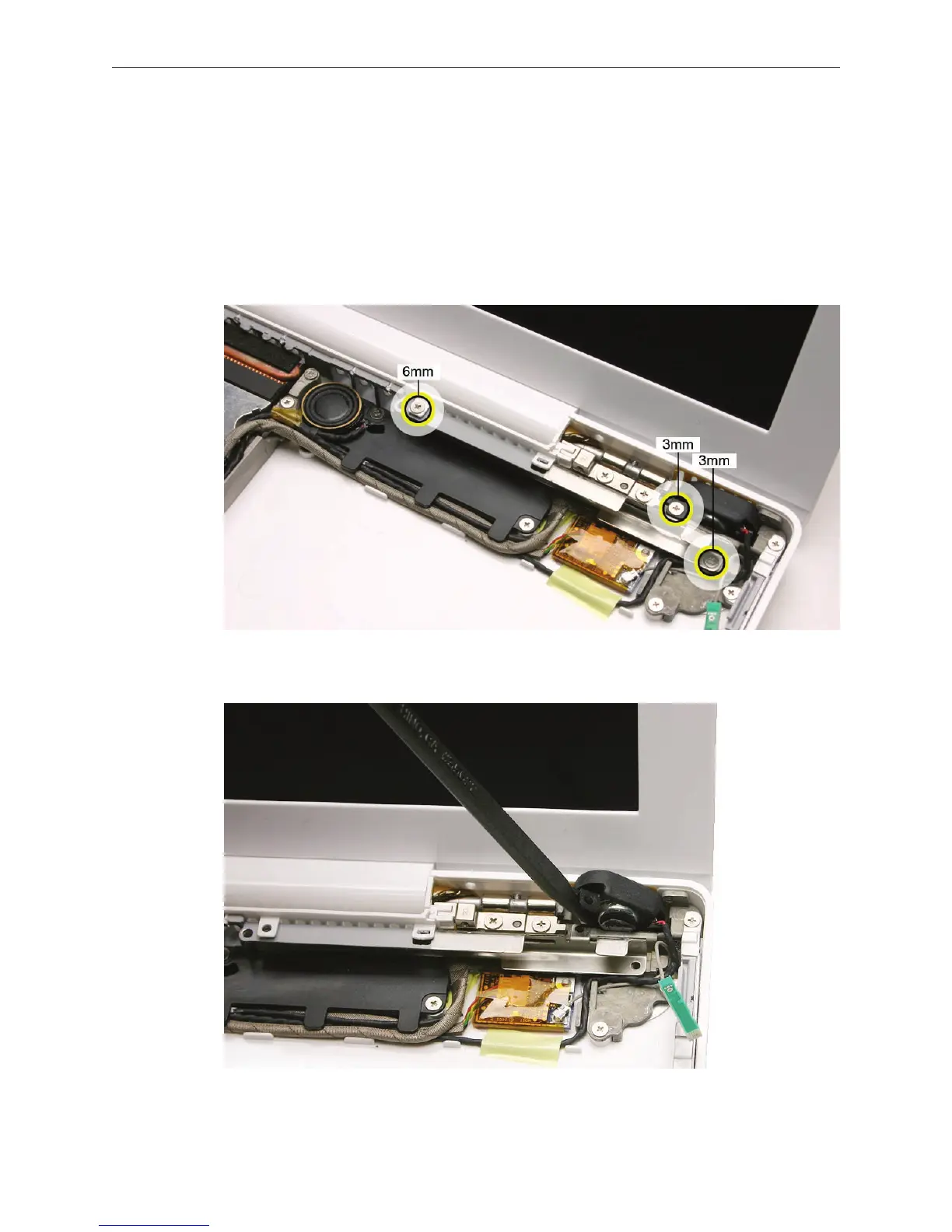
At the top right corner of the computer assembly, remove the following screws:
• 6-mm long screw from the left end of the C-channel, securing the vent cover to the C-
channel and rear panel
• 3-mm long screw from the right speaker (the “holder” for the speaker is sandwiched
between the screw head and the C-channel)
• 3-mm long screw from the right end of the C-channel
Use a black stick to tilt up the right speaker.
1.
2.


 To Next Page
 Loading...

