MacBook (13-inch) Take Apart — Clutch Block, Left 171
Procedure
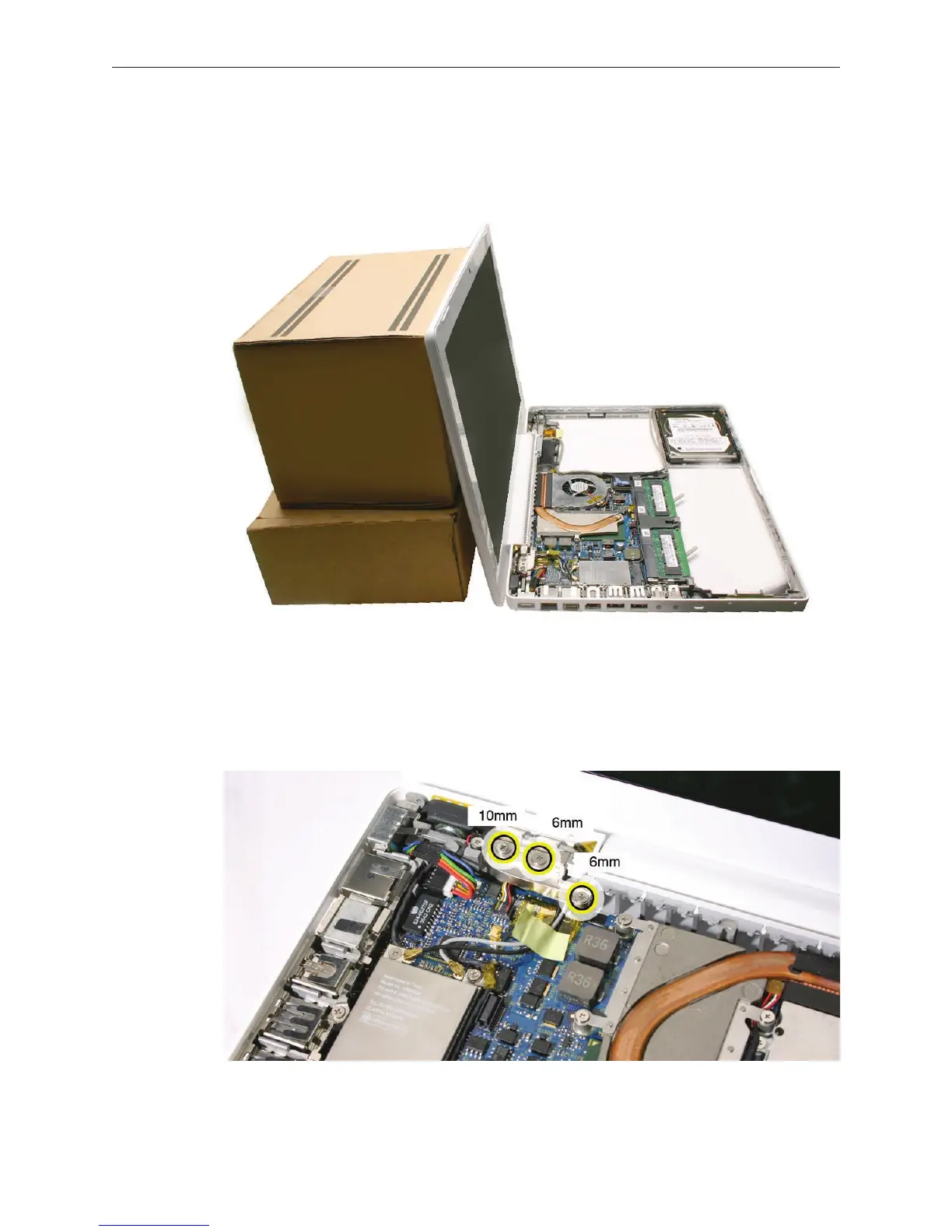
Open the display and lean it against a stack of books or boxes that can support it when it is
loosened from the display hinge.
Remove the screws from the left clutch block:
• 10-mm long thick-stemmed outer screw, closest to the left corner of the bottom case
• 6-mm long thick-stemmed middle screw
• 6-mm long thin-stemmed inner screw, closest to the wireless cables.
1.
2.


 To Next Page
 Loading...

