MacBook (13-inch) Take Apart — Clutch Block, Left 172
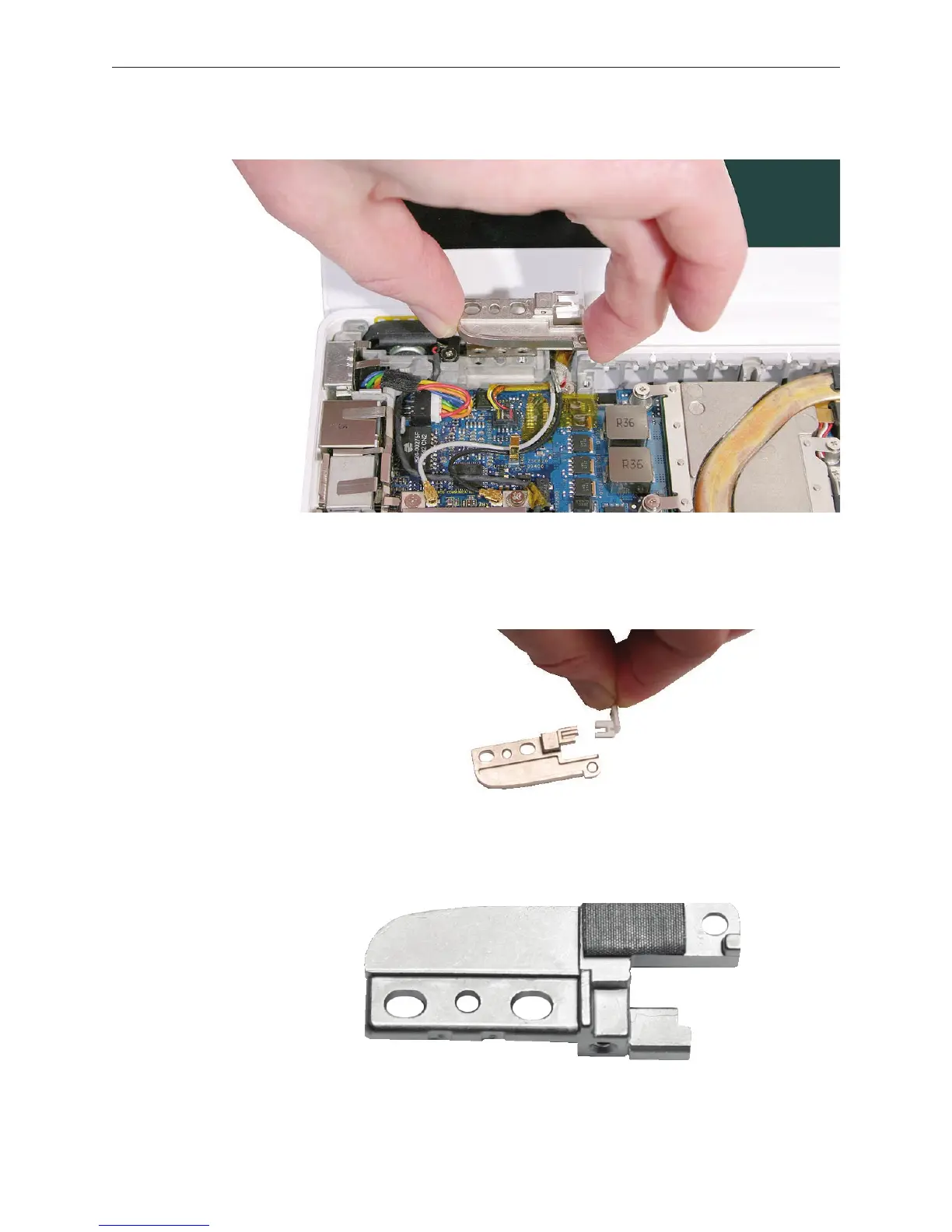
Remove the left clutch block from the computer assembly.
Notice that the left clutch cap comes loose when the clutch block is removed. Make sure the
left clutch cap is tted into the clutch block, and hold it in place when replacing the clutch
block.
If you are installing a new left clutch block, make sure there is a mesh pad on the ip side.
This pad protects the cables that run under the left clutch block.
3.
4.
5.


 To Next Page
 Loading...

