MacBook (13-inch) Take Apart — Clutch Block, Right 180
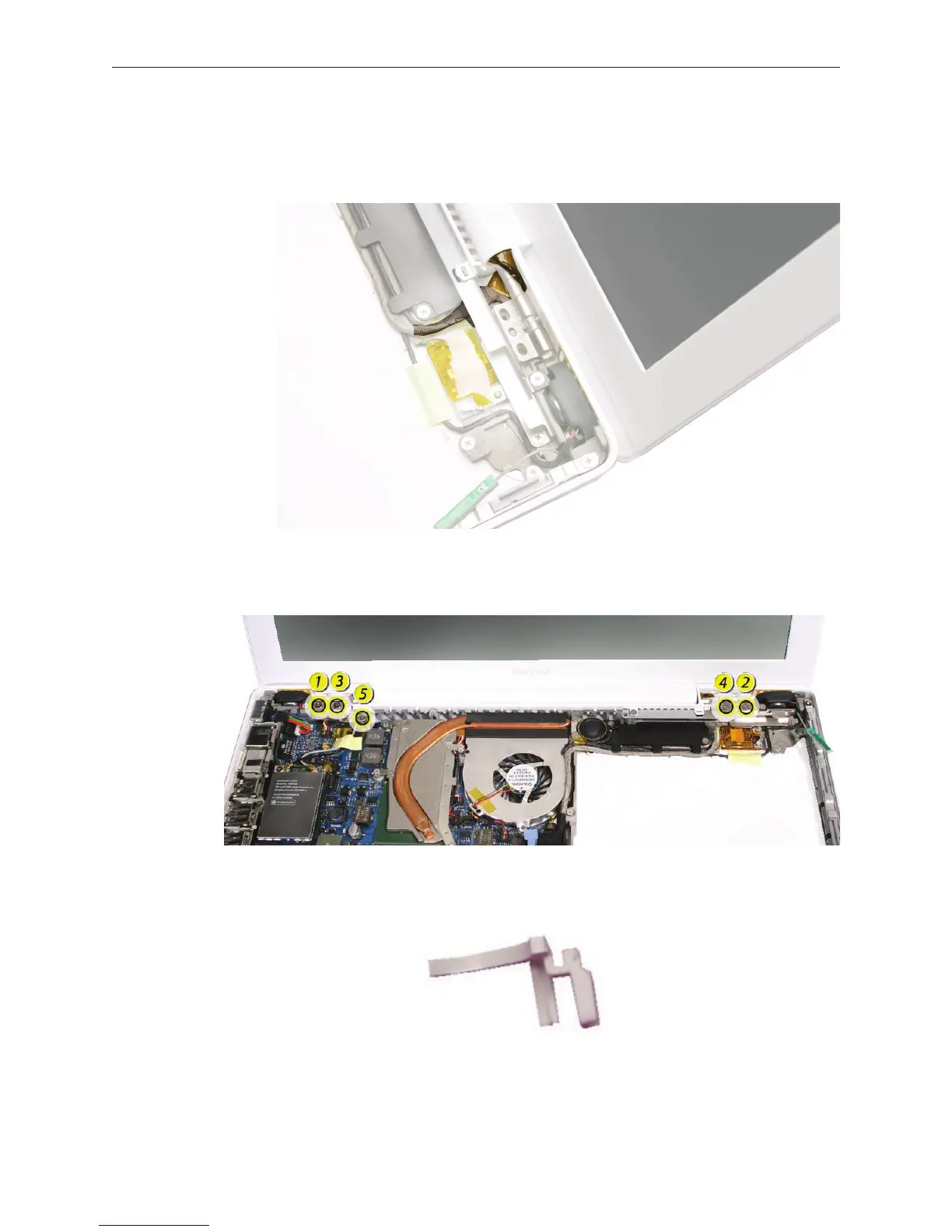
Replacement Note: Notice how the LVDS cable and microphone cable are routed around
the right display hinge. Make sure they are routed as shown and cannot be pinched when
the right clutch block and clutch cap are installed.
Replacement Note: If you are replacing the left and right clutch blocks as a pair, install the
screws in the order shown. Otherwise, install the longest outer screw rst.
Replacement Note: The right clutch cap and left clutch cap are not the same. The right
clutch cap is pictured below.


 To Next Page
 Loading...

