MacBook (13-inch) Take Apart — Antenna Receptor and Cable, Right 216
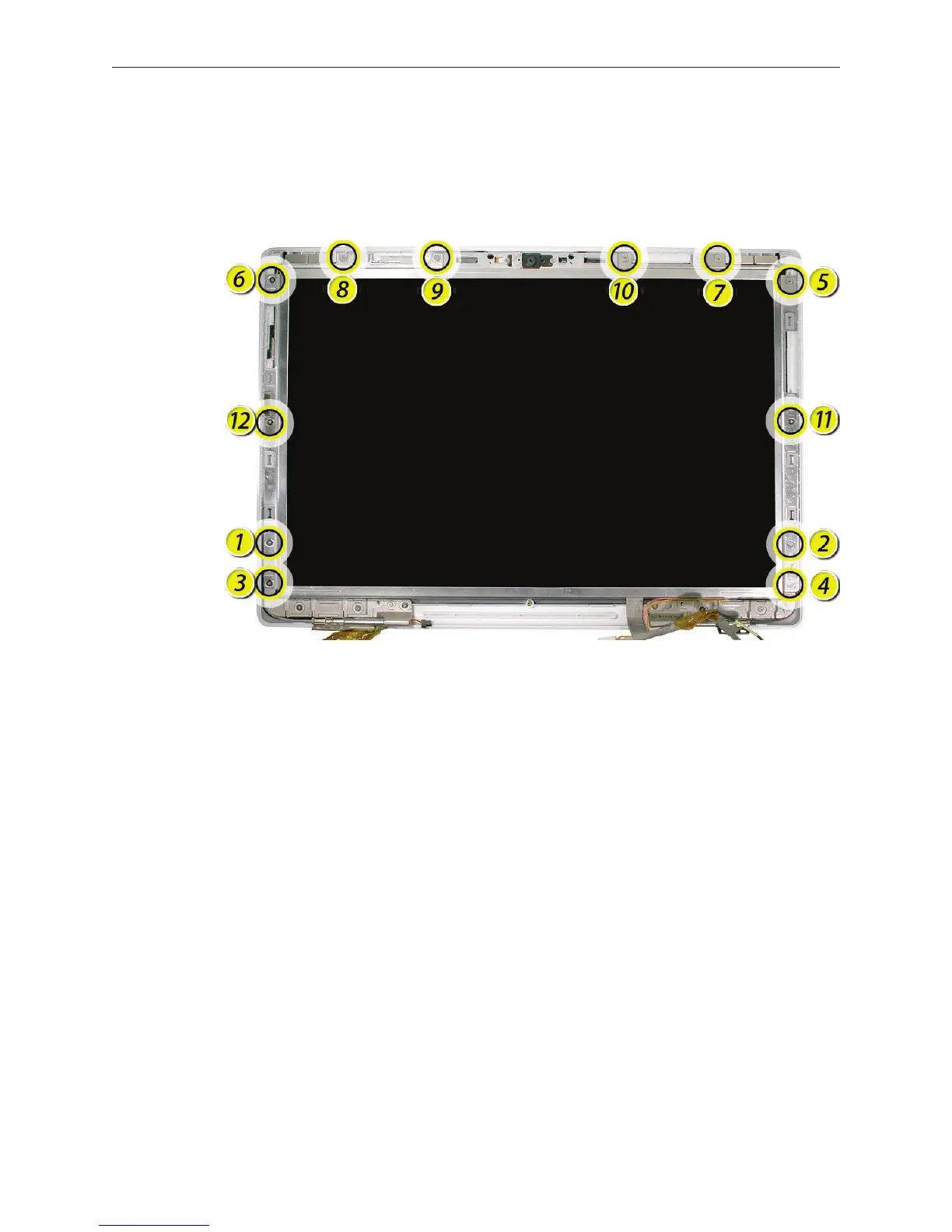
Following the order shown, remove the twelve identical 4.5-mm long screws around the
frame of the LCD panel.
Caution: To prevent scratches or other cosmetic damage to the display housing, use a soft
cloth as a protective layer when removing the screws.
Replacement Note: Refer to the section LCD Panel Assembly when reinstalling the LCD
panel in the display rear housing.
2.


 To Next Page
 Loading...

