MacBook (13-inch) Take Apart — LCD Panel Assembly 232
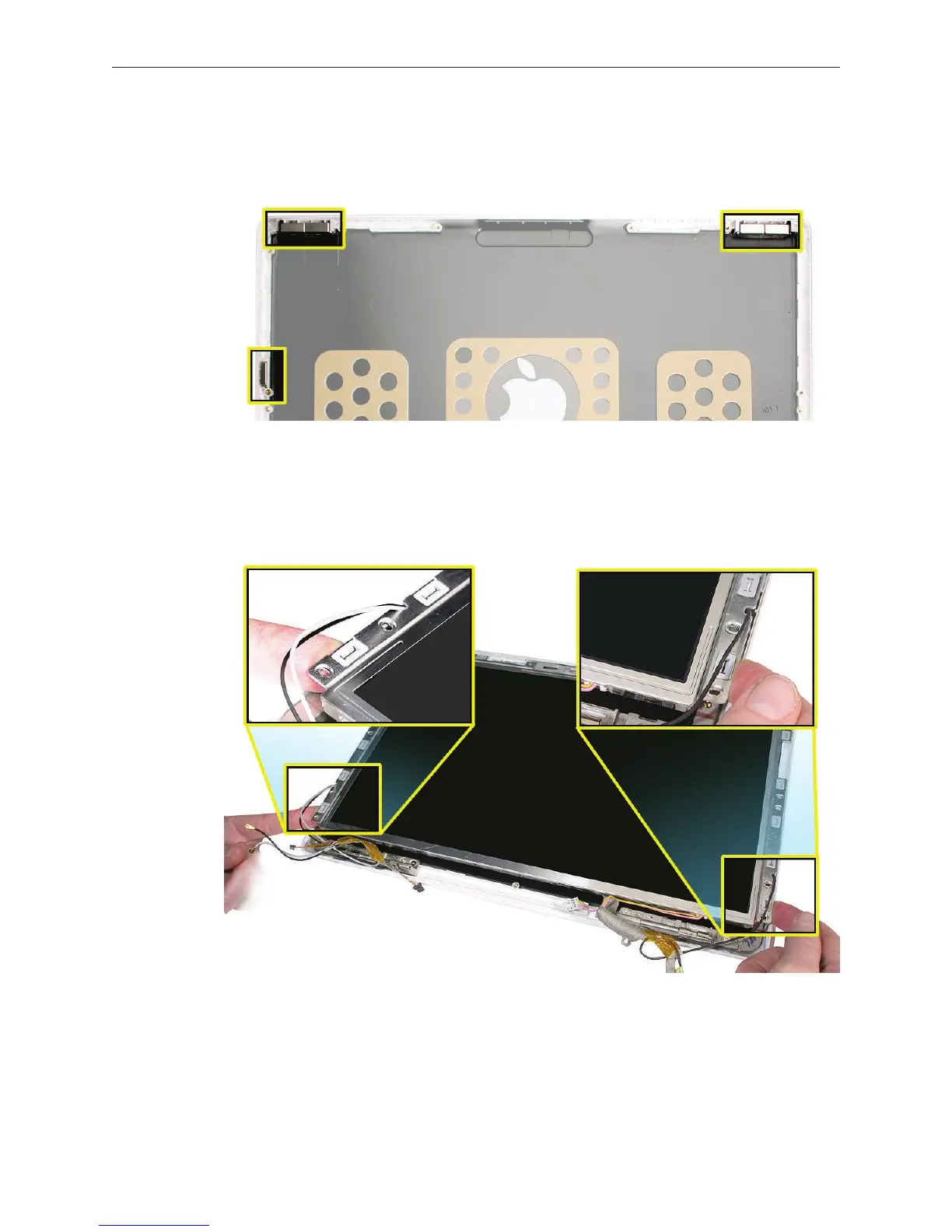
Check the display rear housing to make sure it includes the three magnets:
• Sleep magnet on side
• Two magnet pairs on top
Important: Insert the top corners of the LCD panel assembly into the display rear housing
rst. Use the notch in each bezel brace to help hold the cables in position. Then, before you
set the LCD panel assembly into the display housing, route the cables under the bezel brace
between the housing and the display hinge.
3.
4.


 To Next Page
 Loading...

