MacBook (13-inch) Take Apart — LCD Panel Assembly 236
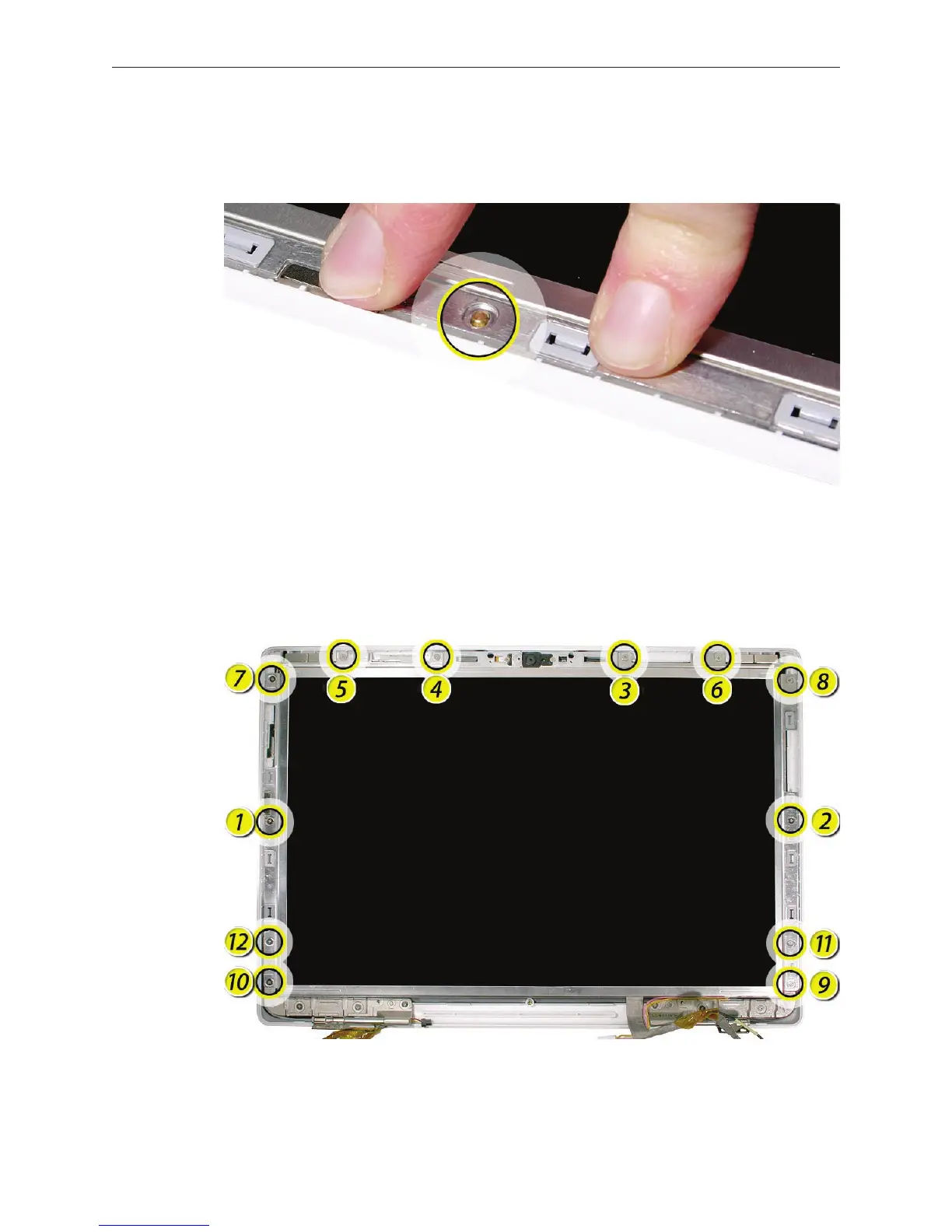
With the magnets and cables in place, slightly reposition the LCD panel assembly, if
necessary, so that the bezel braces t over the two locator pins (one pin at each side of the
rear housing).
Starting with the screw holes just above the locator pins, install the 12 screws in the order
shown:
Caution: To prevent scratches or other cosmetic damage to the computer housing, use a
soft cloth as a protective layer when installing the screws.
Reassemble and test the computer.
9.
10.
11.


 To Next Page
 Loading...

