MacBook (13-inch) Take Apart — Memory 25
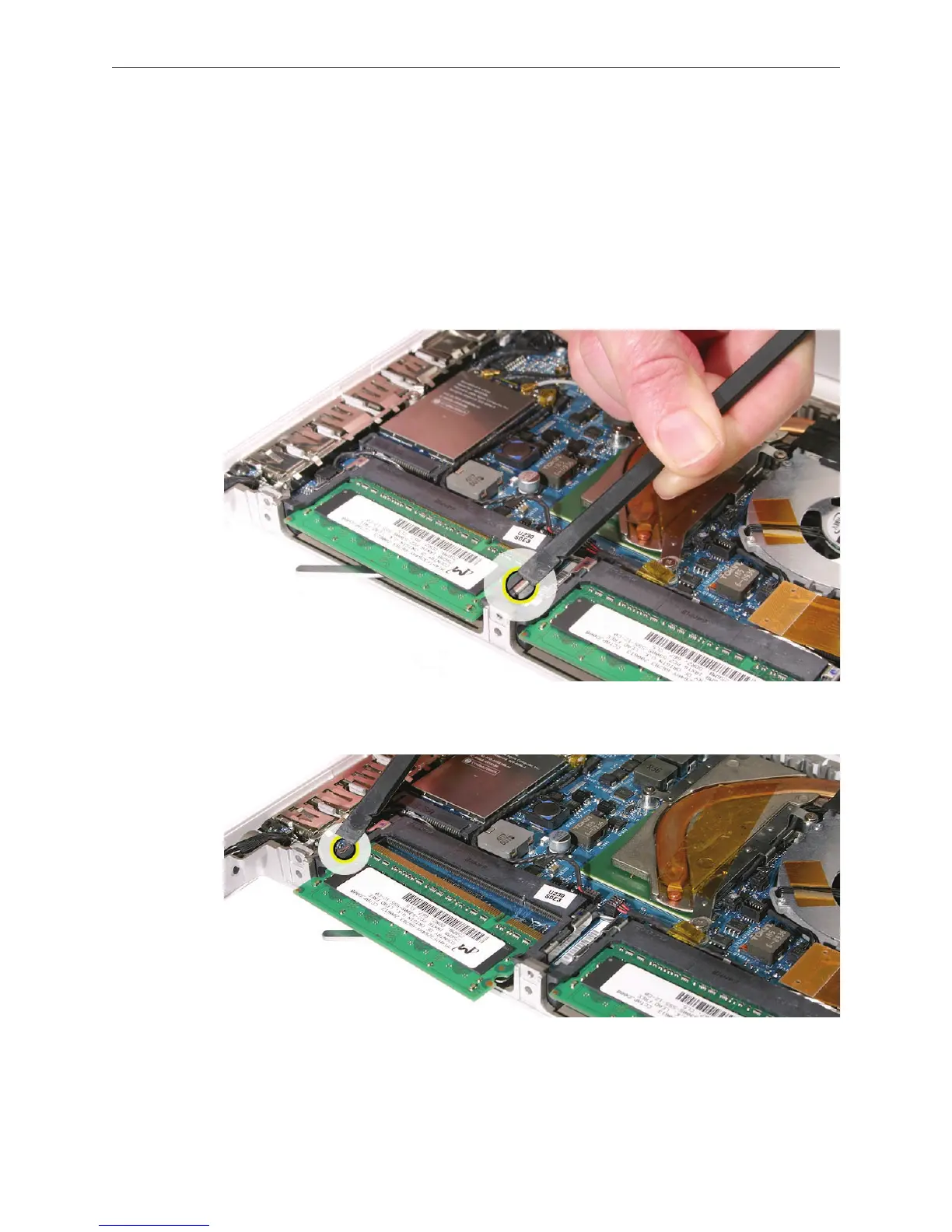
Removing a Stuck Memory Card
If a lever becomes inoperable and does not eject a memory card, you must remove the top case
to access the stuck memory card. Follow this procedure only if the memory card is stuck and
cannot be ejected by using the lever.
Follow the “Top Case” procedure in this chapter to remove the top case.
Notice the eject bars on each side of the memory card carrier. Use a black stick to push and
slide the eject bar down the side of the carrier.
Repeat step 2 on the other side of the memory card carrier until the memory card pops out.
1.
2.
3.



 To Next Page