MacBook (13-inch) Take Apart — Memory 24
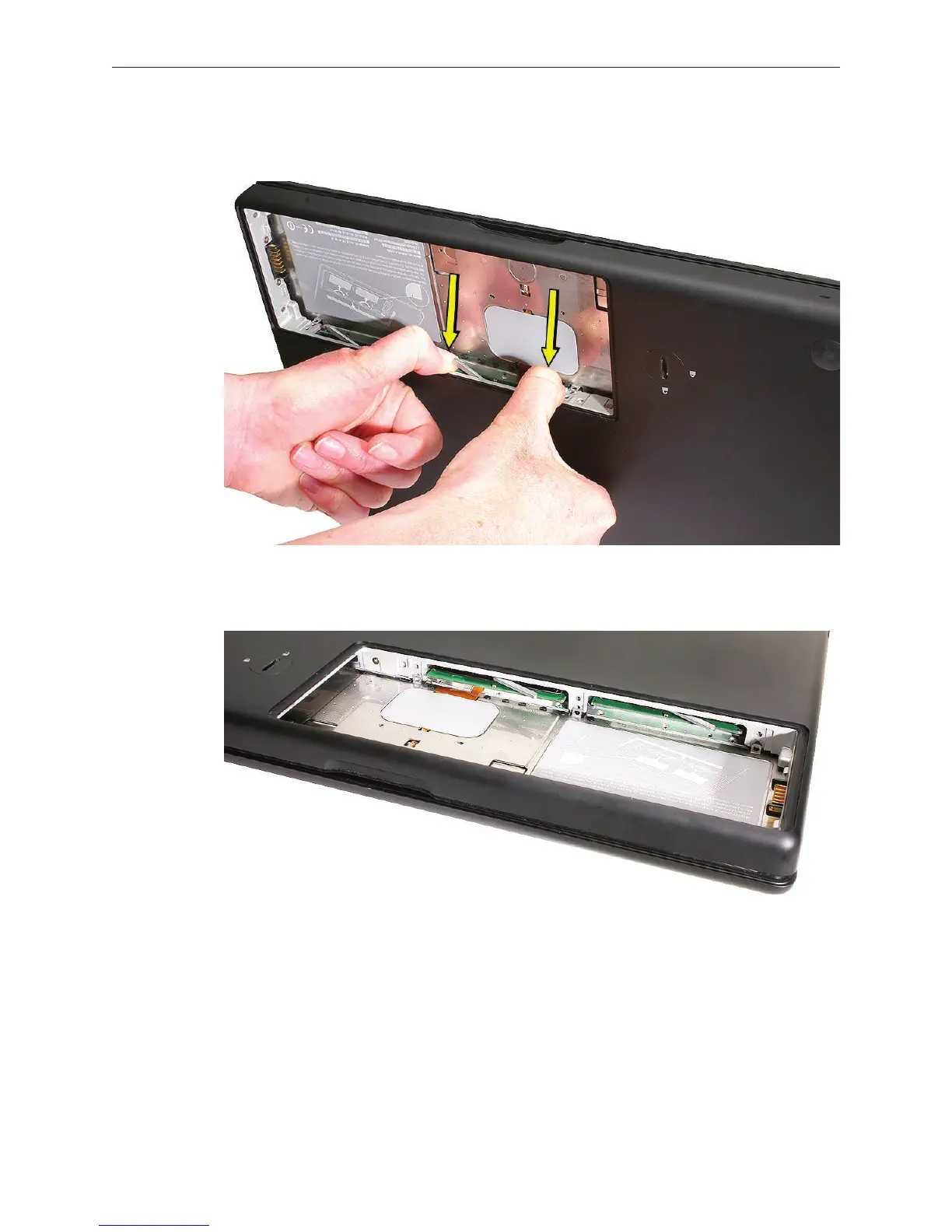
Use two ngers to push rmly on the edge of the memory cards. If there is a tight t,
installing the cards may take some force to ensure that they are fully inserted.
Important: When the cards are fully inserted, the edges of the cards are nearly hidden, as
shown by the recessed card on the right in the image below.
If the levers do not return to the closed position, move them to close them.
Reassemble and test the computer.
Make sure the computer recognizes the new memory by opening System Proler, clicking
More Info, and clicking Memory.
2.
3.
4.
5.



 To Next Page