MacBook (13-inch) Take Apart — LVDS Cable with USB Line 251
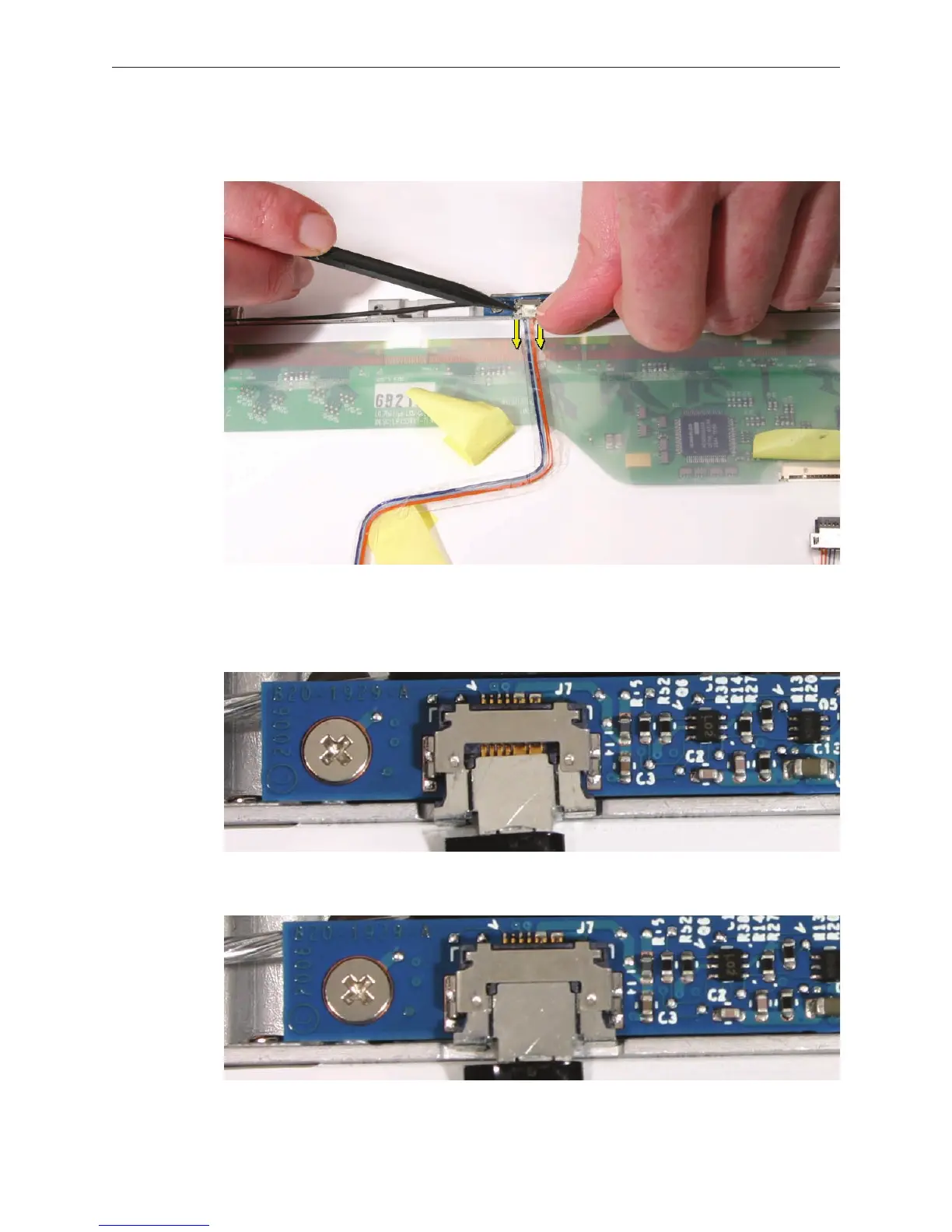
Disconnect the USB line by using a black stick and your ngernail to slide the connector
straight down from the camera board.
Replacement Note: When reinstalling the USB line, no copper contacts should be visible.
Reinstall the cable if you can see copper contacts.
• Wrong
• Right
4.


 To Next Page
 Loading...

