MacBook (13-inch) Take Apart — Top Case 31
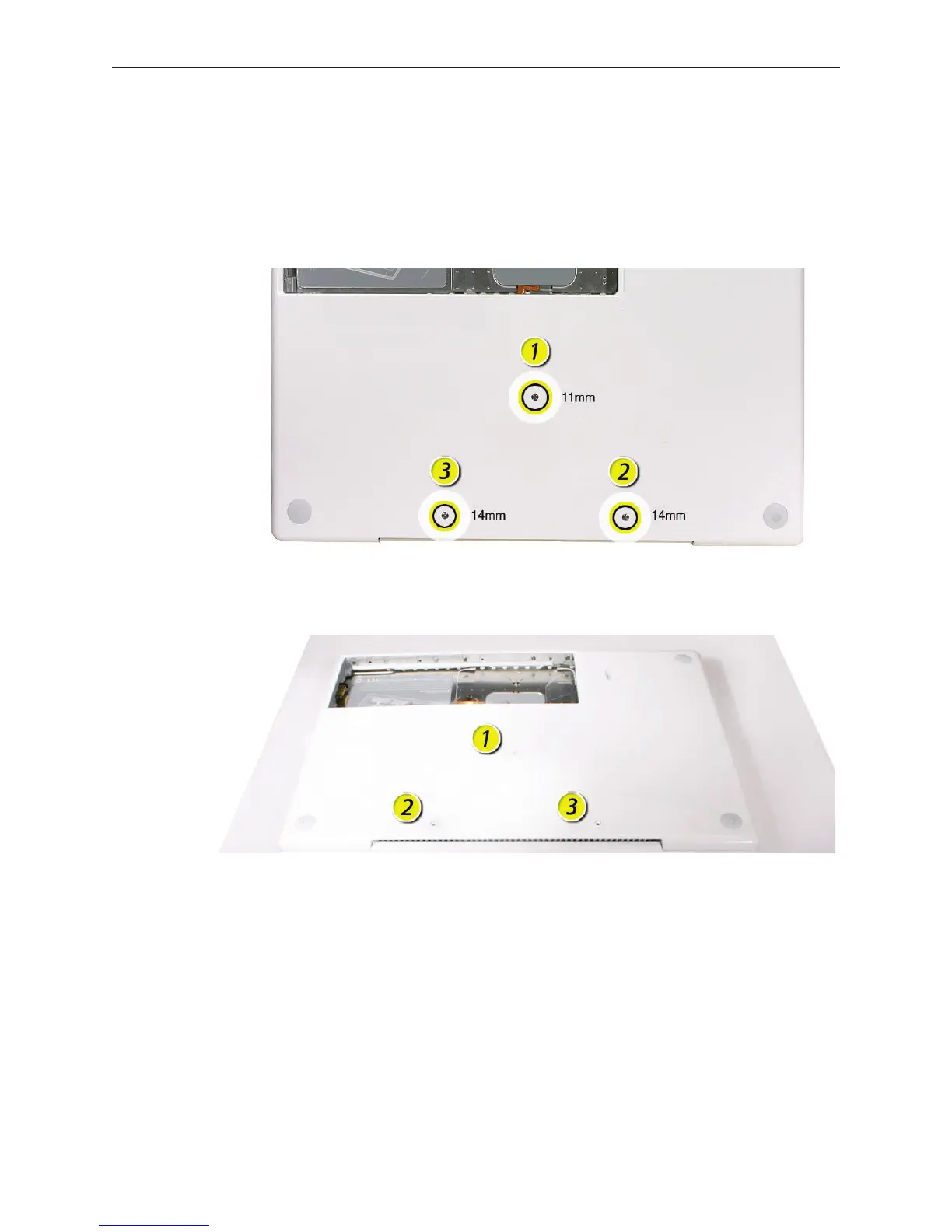
Turn over the computer, and on the outside of the bottom case, remove the three #0 Phillips
screws:
• Two 14-mm long screws near display hinge
• One 11-mm long at center of bottom case
Replacement Caution: Do not put one of the longer screws in the center screw hole or it
will damage the logic board.
Replacement Caution: When installing the three bottom case screws, install them in the
order shown.
4.



 To Next Page