MacBook (13-inch) Take Apart — Top Case 32
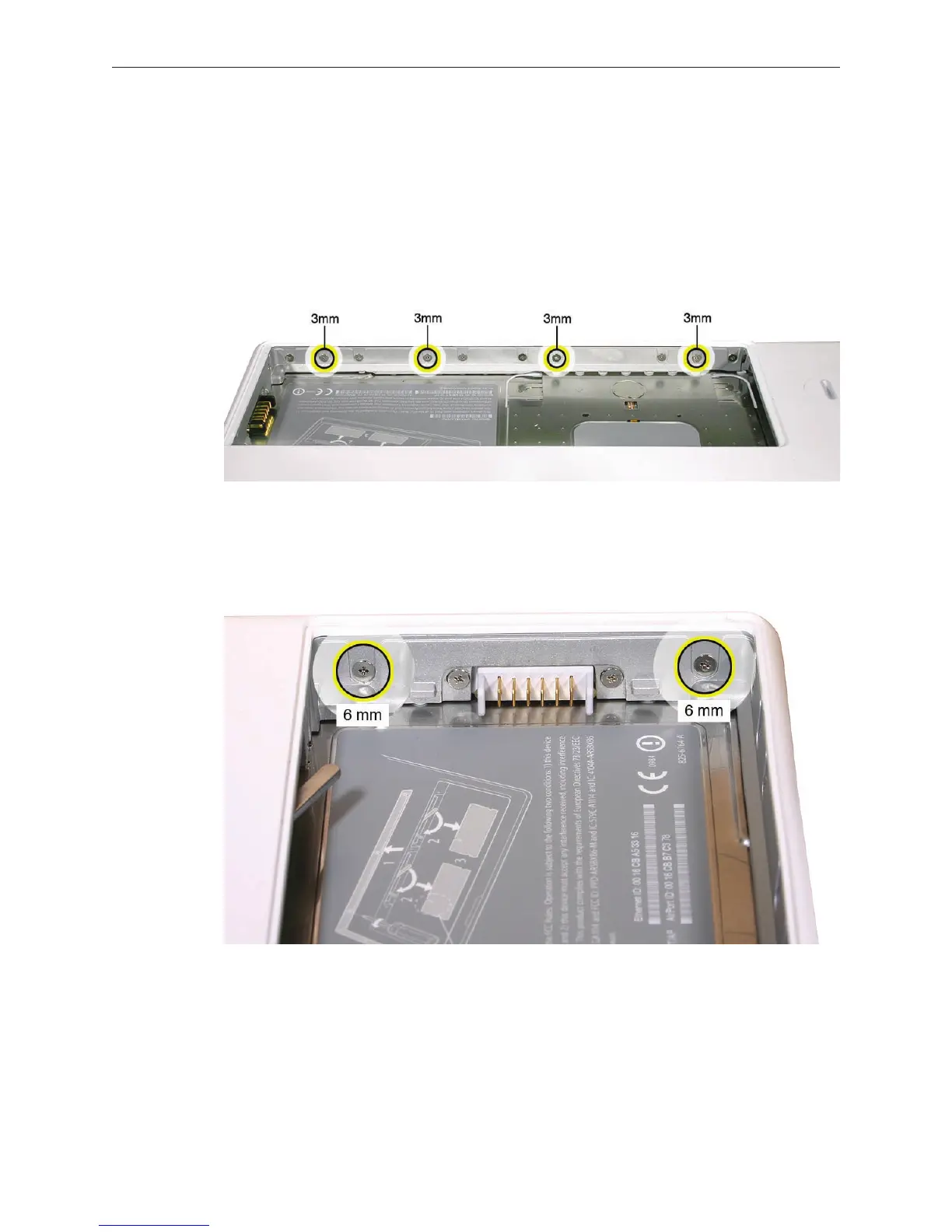
Notice the long row of #0 Phillips screws at the front edge of the battery bay.
Important: Remove only the four screws shown. Remove the 3-mm long identical screws as
follows:
Starting at the corner closest to the battery connector, skip the rst screw, then remove the
second, fourth, seventh, and ninth screw.
Tip: To help remember the screw sequence, think of it as “2, 4, 7, 9 loosens the top case every
time.”
In the battery bay, remove the two 6-mm long identical screws that are on both outer sides
of the battery connector. Do not remove the two screws that are closest to the battery
connector.
5.
6.
7.



 To Next Page