MacBook (13-inch) Take Apart — AirPort Extreme Card 47
Procedure
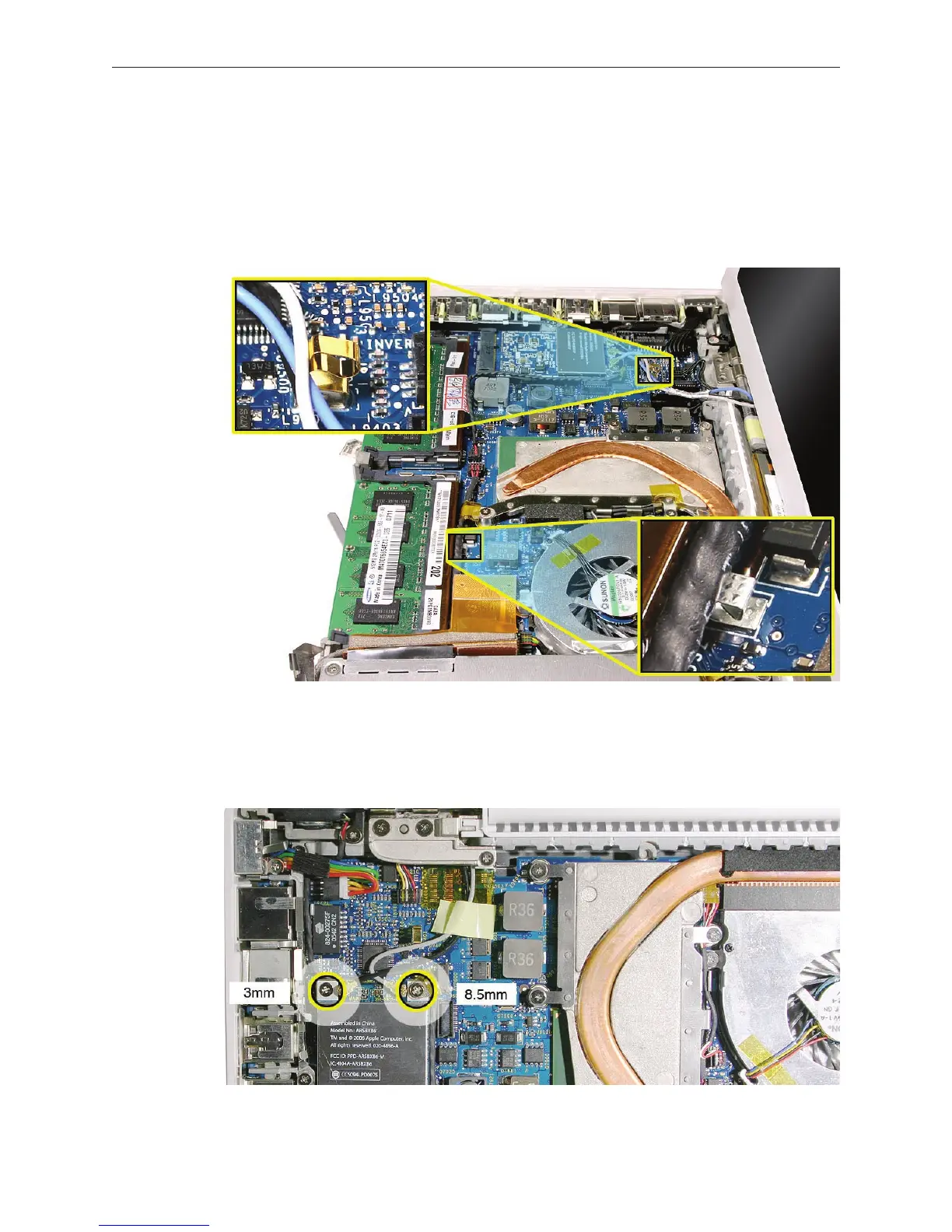
Caution: When servicing the computer, be especially careful when working near the two springs
on the logic board. Although the springs are exible, they can be inadvertently torn, bent, or
broken if a cable gets caught on them. A logic board might be considered unusable with one or
more damaged springs. Check the structural integrity of the springs before completing a repair.
Remove the 8.5-mm long screw (that also functions as the left speaker cable ground pin)
from the upper right corner of the board. (The thick head on this screw helps identify it.)
Remove the 3-mm long screw from the upper left corner of the board.
1.
2.



 To Next Page