MacBook (13-inch) Take Apart — MagSafe DC-In Board 52
Procedure
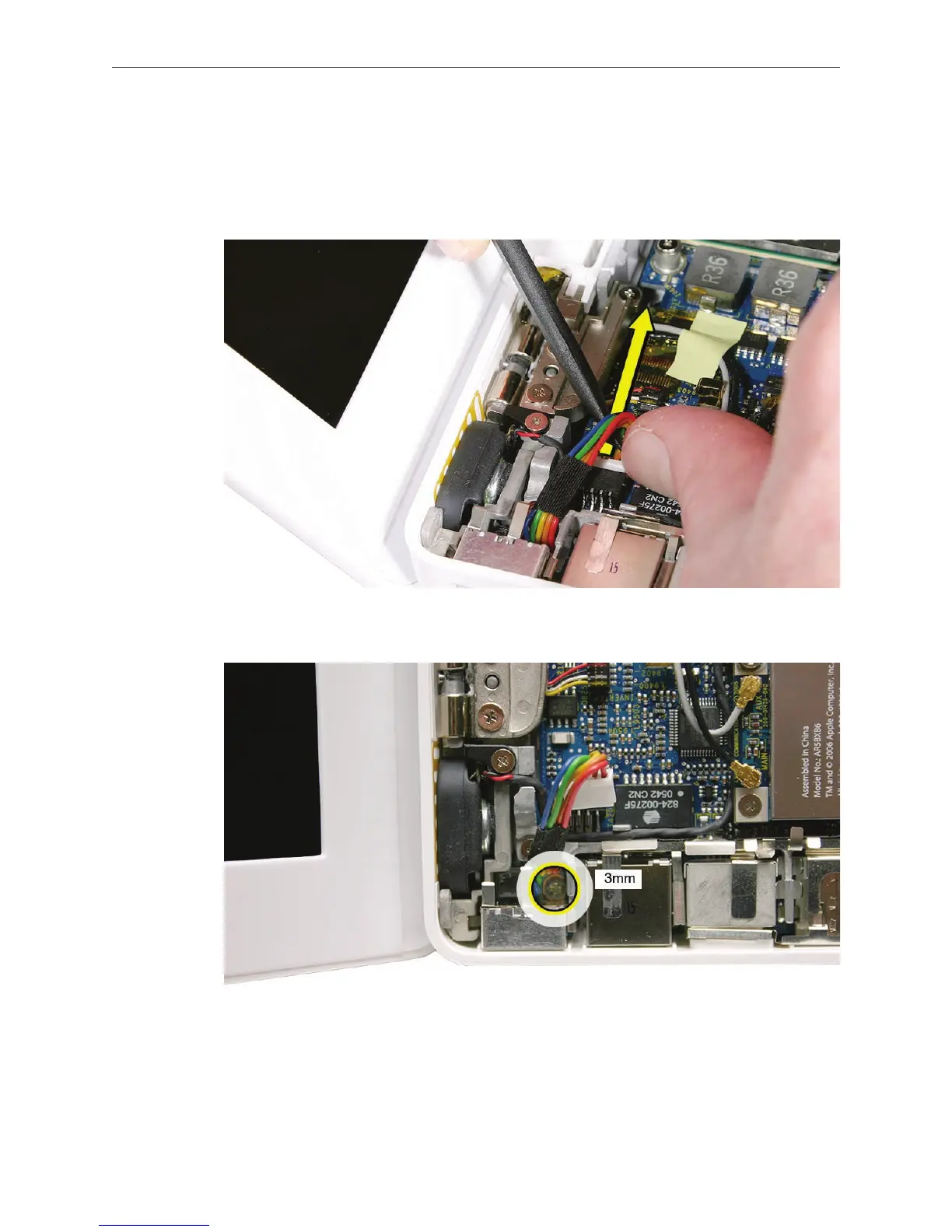
Place a black stick under the DC-in connector cables to help disconnect the connector, then
pull the connector away from its connection on the logic board. (Note: Although the cables
are solid black on the Late 2006 model, the steps are the same.)
Remove the 3-mm long screw from the MagSafe DC-in board.
Caution: The DC-in port is magnetic. Be careful that it doesn’t pick up screws or other small
parts.
1.
2.



 To Next Page