MacBook (13-inch) Take Apart — MagSafe DC-In Board 53
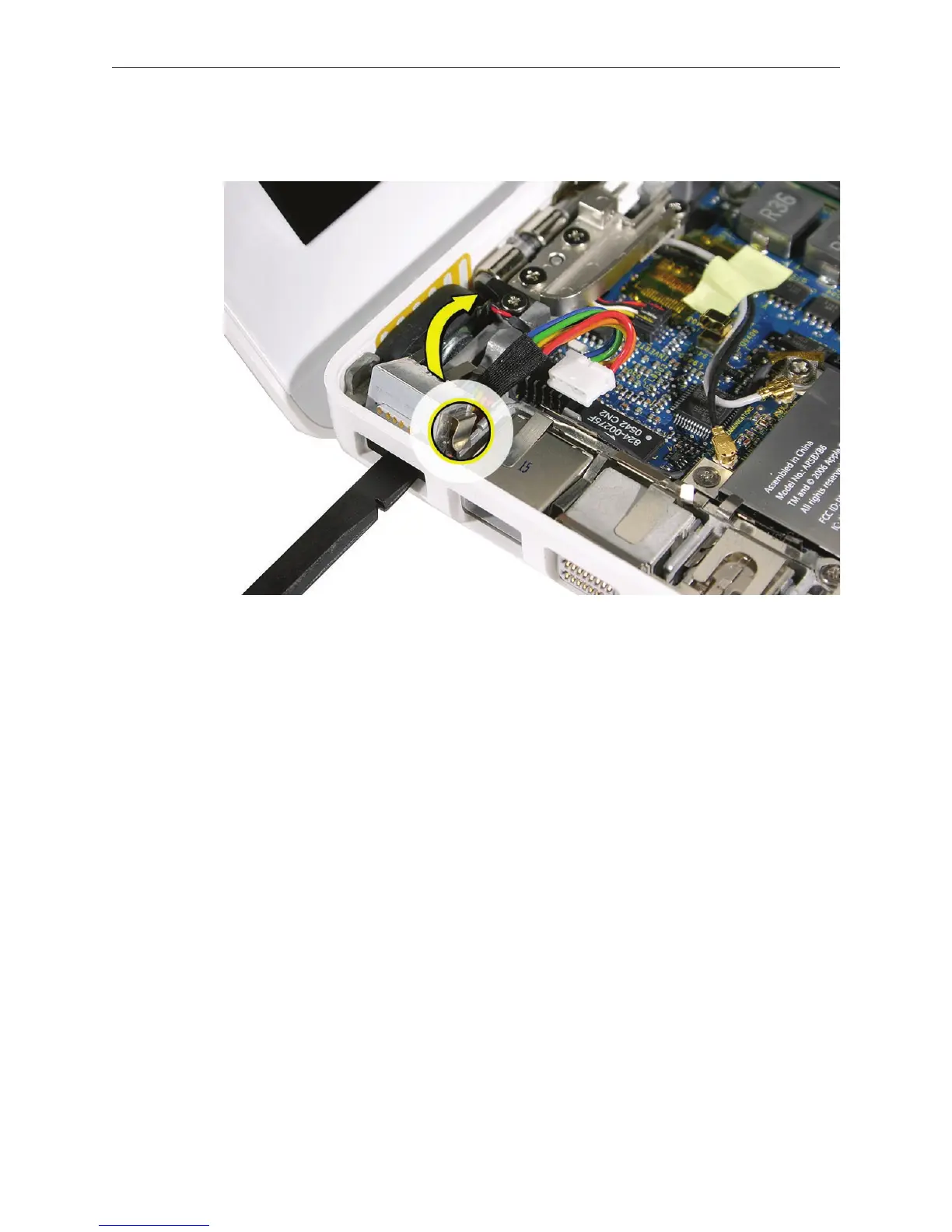
From the port side, use a black stick to help tilt up the MagSafe DC-in board and remove it
from the logic board.
Replacement Note: Make sure the folded side of the EMI shield ts over the I/O frame rib so
that the rib is sandwiched between the anges of the EMI shield.
Replacement Note: If installing a new MagSafe DC-in board, rst peel o the protective
membrane from the MagSafe DC-in board. Then connect the DC-in cable to the connector
on the logic board, and insert the board into the upper left corner of the bottom case. Finally,
install the screw.
3.



 To Next Page