MacBook (13-inch) Take Apart — Battery Connector with Sleep Switch 64
Install the replacement battery connector with sleep switch, and reassemble and test the
computer.
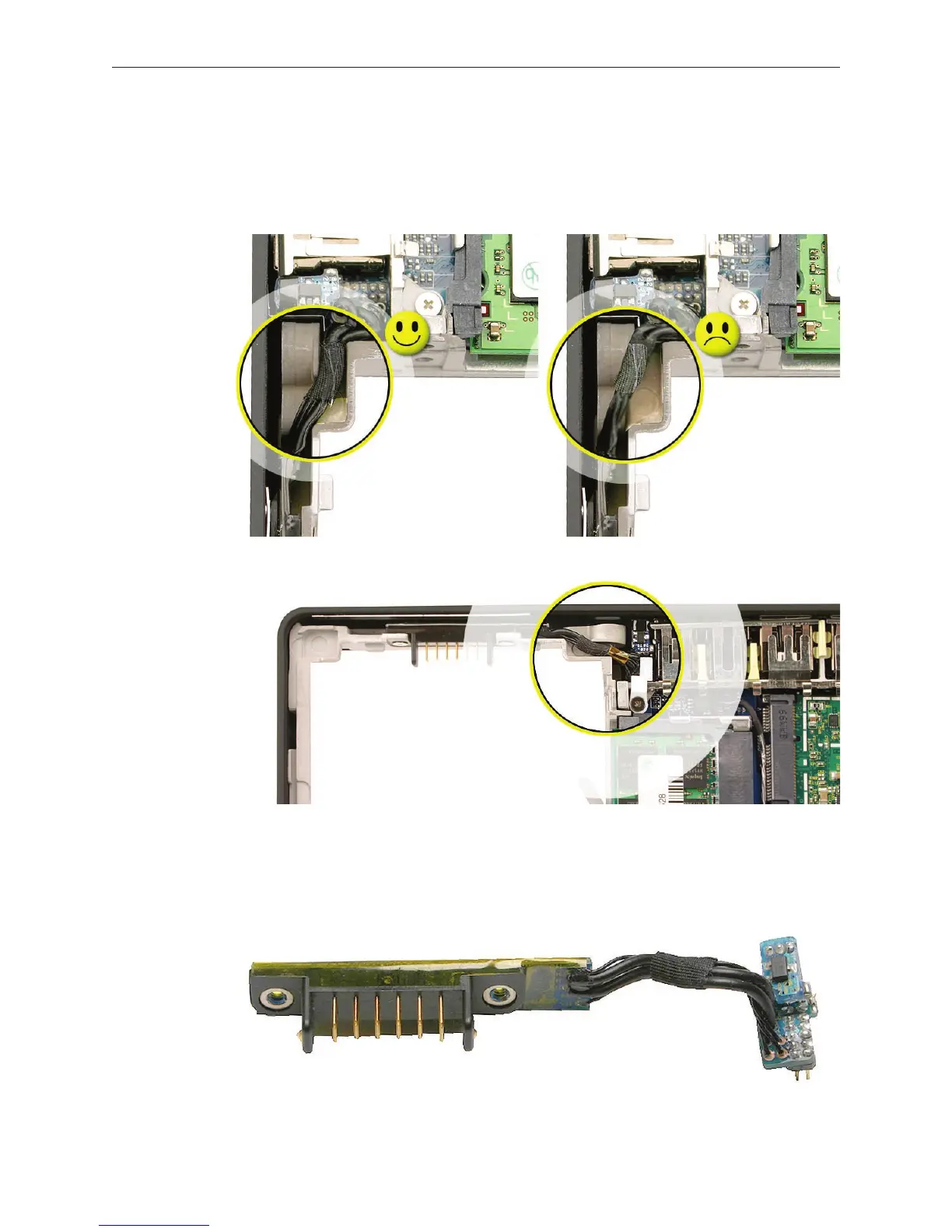
Caution: To avoid pinching the cable, the battery connector cable must be properly
tucked into the cable channel, as shown by the image on the left, below:
Replacement Note: Check that the battery connector can be wiggled to allow for
movement of the battery. If the connector is completely still when grasped, loosen the
screws slightly.
6.



 To Next Page