MacBook (13-inch) Take Apart — Optical Drive 95
Warning: Handle the optical drive at the side edges only. Do not touch or press
anywhere else on the drive. Refer to the next section, “Handling Slot-Load Optical
Drives.”
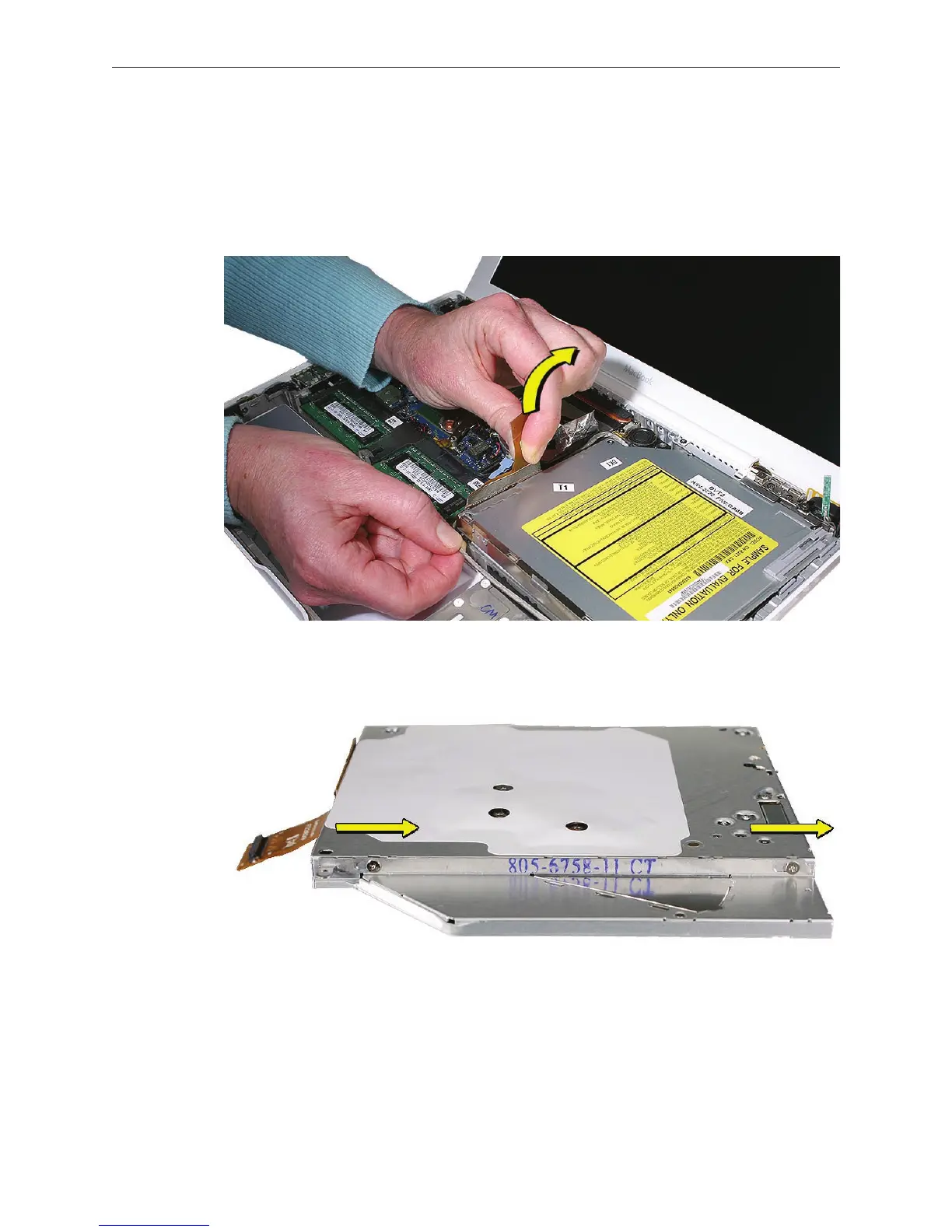
Grasp the optical drive ex cable and use it as a pull tab as you tilt up the optical drive. Be
careful where it can catch on cables.
Replacement Note: Make sure the mounting bracket on the optical drive is pushed in
before placing the optical drive in the bottom case.
Replacement Note: Reverse the screw order: install snubber screws rst.
Replacement Note: If you are installing a replacement drive, check that it includes the
following:
• Bluetooth holder
• Sliding bracket and two screws
• Cable guide rail
10.
11.



 To Next Page