Battery Verification
PowerBook (FireWire)
4
Troubleshooting
Battery Verification
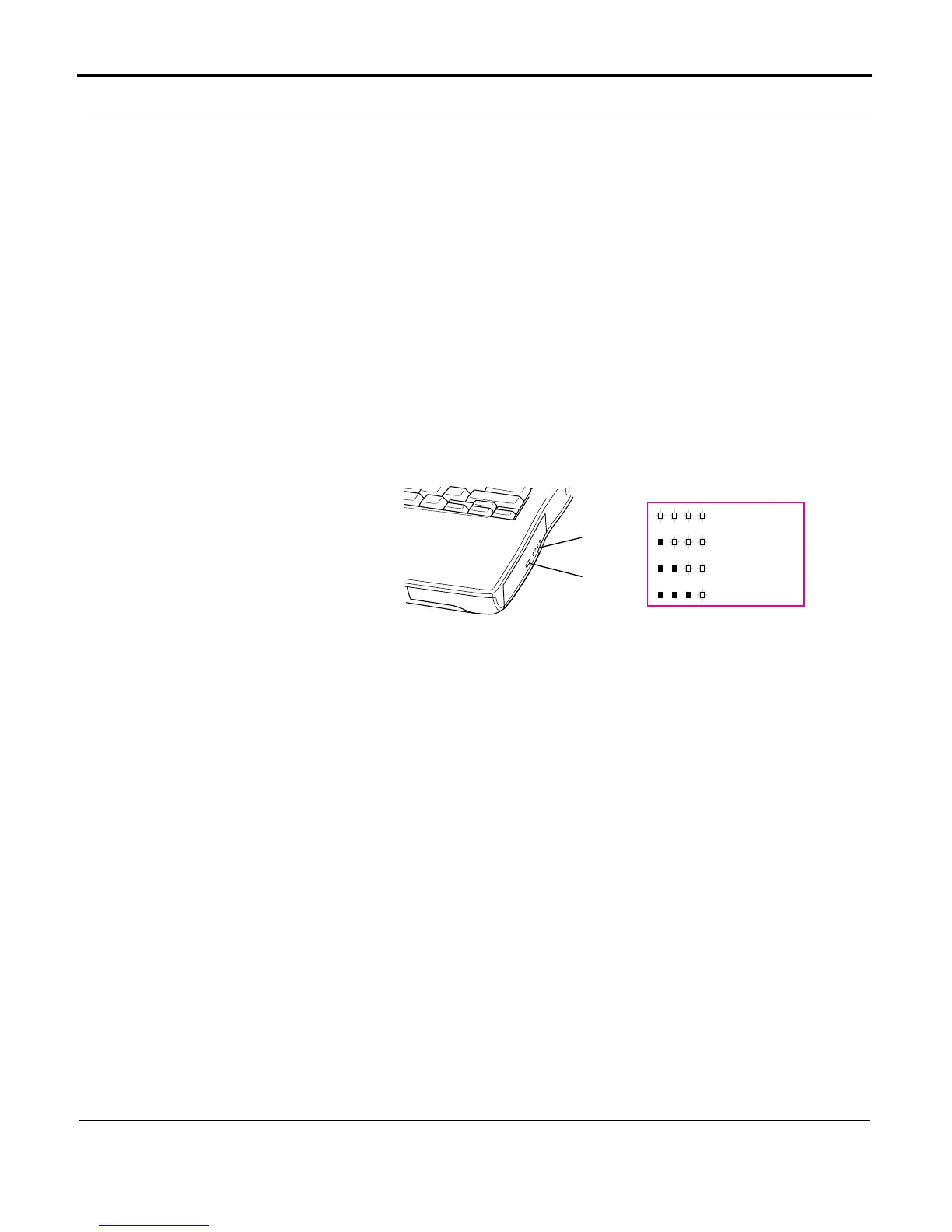
PowerBook (FireWire) batteries have level-indicator lights
that show whether the battery is fully charged, three-fourths
charged, one-half charged, or one-fourth charged.
To determine the actual battery charge, push in the level
indicator button to activate the indicator lights.
If more than one light is blinking, there is a problem with the
battery. If only one light is blinking, the battery is fully
depleted and should be charged soon.
Note:
If it seems that the lights are not reporting levels
correctly, fully discharge the battery and then recharge it to
calibrate the battery. After this calibration, the lights will
report charge levels properly.
Fully charged
3/4 charged
1/2 charged
1/4 charged
Battery
Level
Indicator
Button
Battery
Level
Indicator
Lights



 To Next Page