Fqt'Qtl*lilFrÉ*
lf
you
already have anothdr
peripheral
card
in
slot 4,
you
can
remove it by rocking the
card
slightly toward the keyboard and
then
pulling
it
slraight up and out of the
well.
Now
you
are
ready
to
install
your
ProFile interface
card.
Handle lhe ProFils interiace card wilh care. Grasp il
only by the corners or edges, and try nol to louch the
delicale components. Above all, don t
grasp
the card by
lhe
gold
"finqers
on
its
bottom edge connector-they
are the medrum lhrough whrch the computer
communicales lo the card and thelr efficrencv decreases
if thev are
dilv or scratched.
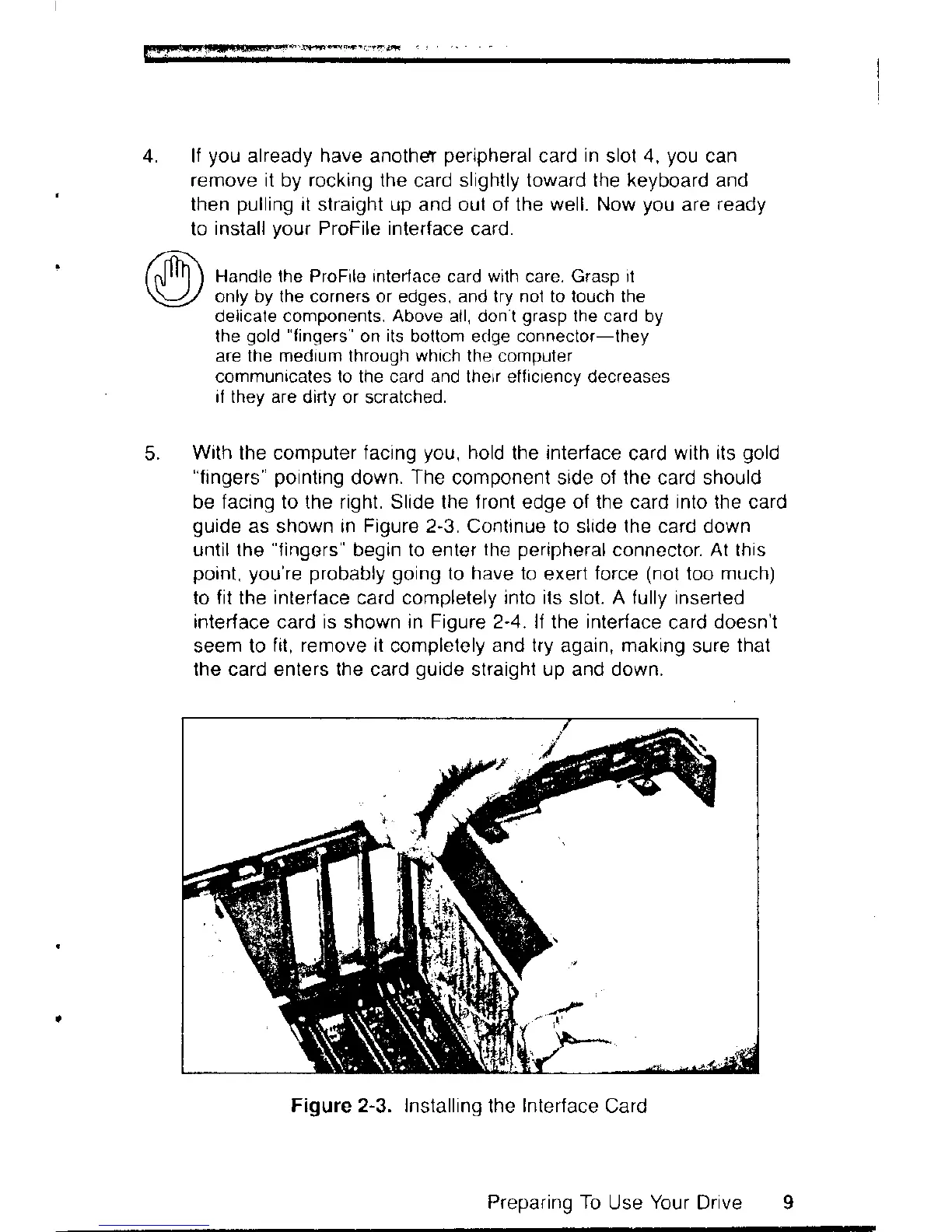
With the computer facing
you,
hold
the interface
card
with its
gold
"fingers"
pointing
down.
The
component side of the card should
be facing to the right. Slide lhe front edge of the card into the card
guide
as shown in Figure 2-3. Continue to slide lhe card down
until the
"fingors"
begin to enter
lho
peripheral
connector. At this
point. you're probably going
to have to
exert
force
(not
too
much)
to
fit
the
interface
card completely
inlo its
slot.
A fully inserted
interface card is
shown
in Figure 2-4. lf the interface
card
doesn't
seem to
fit, remove it
completely
and try
again,
making
sure
that
the card enters the card
guide
straight up and down.
Figure 2-3. Installing
the
Interface
Card
5.
Preparing To
Use
Your
Drive


 To Next Page
 Loading...