EasyManua.ls Logo

Apple profile - Page 16

Apple profile
42 pages
Print Icon
To Next Page IconTo Next Page
To Previous Page IconTo Previous Page
Loading...
7.
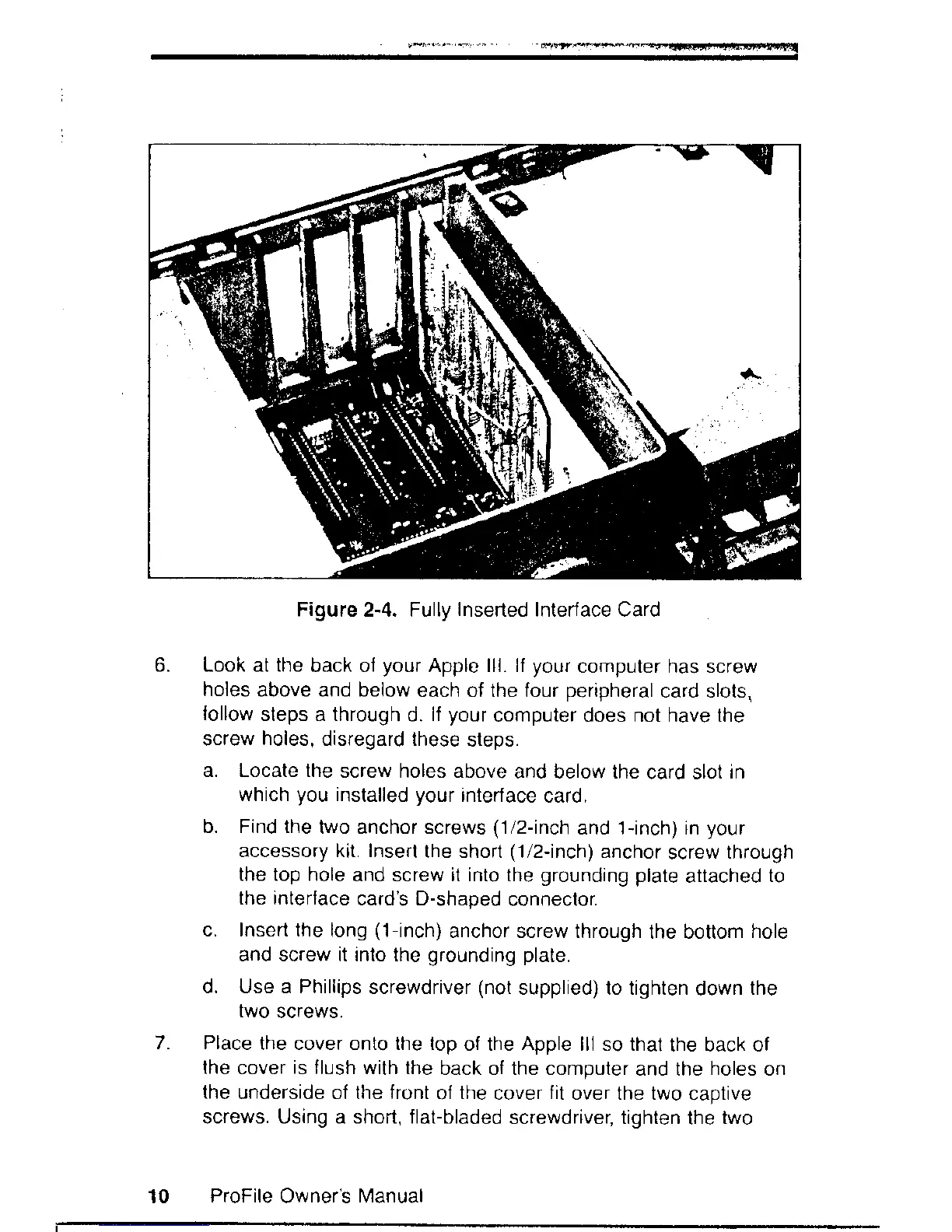
Figure 2-4. Fully
Inserted
Interface Card
Look
at
the
back of
your
Apple lll. ll
your
computer has screw
holes
above and below
each of the four
peripheral
card slots,
lollow
steps a through
d. lf
your
computer does not have the
screw
holes,
disregard these
steps.
a. Locate the
screw holes above
and below the
card slot
in
which
you
installed
your
interface
card.
b. Find the
two anchor screws
(1/2-inch
and 1-inch) in
your
accessory kit. Insert
the short
(1/2-inch)
anchor
screw
through
the top hole
and screw it into the
grounding plate
attached
to
the interface
card's D-shaped
connector.
c. Insert the
long
(1-inch)
anchor screw through
the bottom
hole
and screw it into the
grounding plate.
d. Use a Phillips
screwdriver
(not
supplied) to tighten
down
the
two
screws.
Place
the cover onto the top
of the
Apple
lll so thal
the back of
the cover
is
flush with the
back of the computer
and the
holes
on
the
underside of the front
of
the
cover
fit
over the two
captive
screws. Using a short, f lat-bladed
screwdriver, tighten
the
two
ProFile
Owneis
Nlanual
10

Related product manuals