EasyManua.ls Logo

Apple Universal Dock - Powering and Video Output; Using the Apple USB Power Adapter; Displaying Photos and Videos on TV

Apple Universal Dock
80 pages
Print Icon
To Next Page IconTo Next Page
To Previous Page IconTo Previous Page
Loading...
6 English
English 7
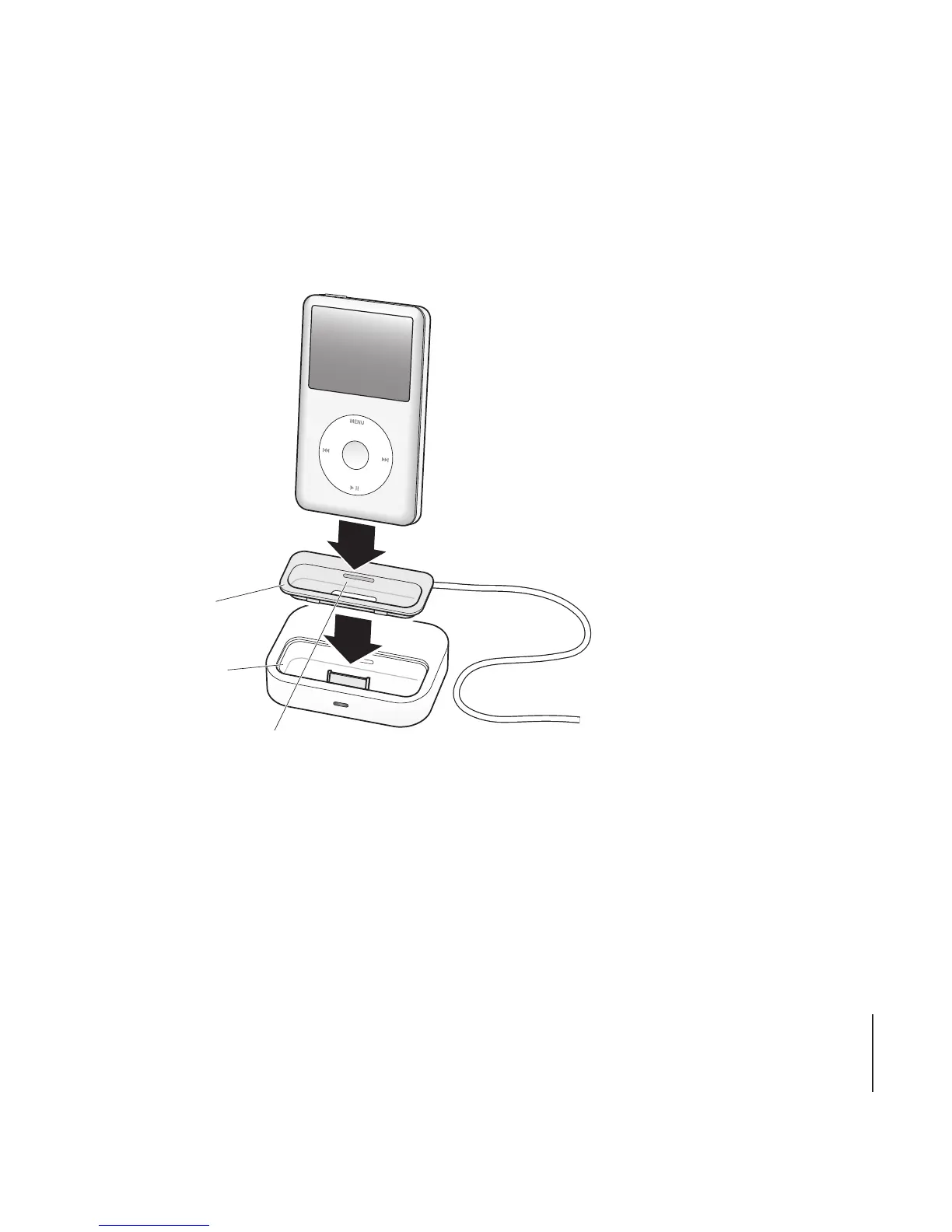
3 Insert the dock adapter into the connector well of your Dock, and then put your iPod or
iPhone in the Dock.
You can remove the dock adapter
with your fingernail by using this slot.
Connector well
Dock adapter
If the Dock is connected to your computer and iTunes is set to sync your iPod or iPhone
automatically, syncing begins as soon as you put your iPod or iPhone in the Dock.
For more information about syncing content to your iPod or iPhone and using all of its
features, see the user guide for your iPod or iPhone.
7

Other manuals for Apple Universal Dock