4 English
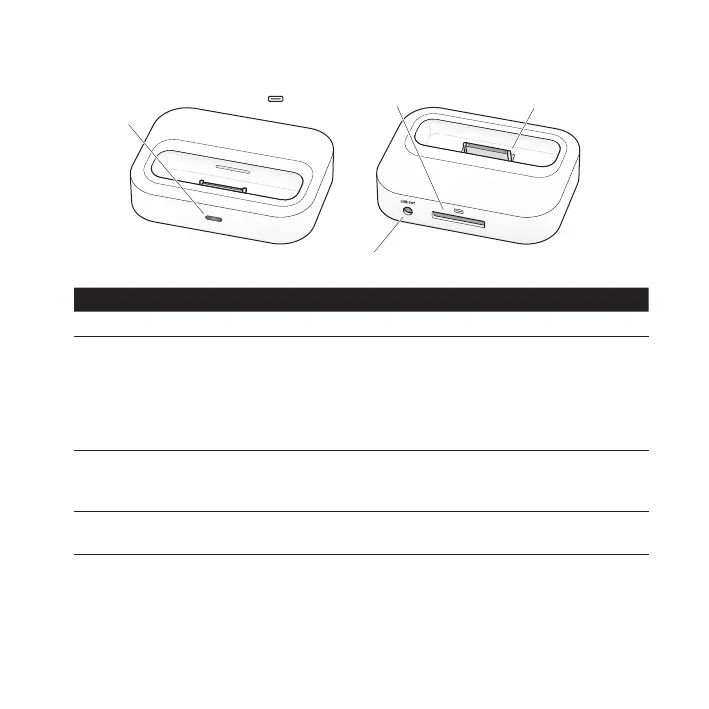
Universal Dock at a Glance
Line out port
Dock connector
Infrared (IR)
receiver
Component What You Can Do
Infrared (IR) receiver Control playback from a distance using the Apple Remote.
Dock connector port Connect the Dock to your computer or the included Apple
USB Power Adapter, using the Apple Dock Connector to USB
Cable. Or connect the Apple Dock Connector to VGA Adapter,
Composite AV Cable, or Component AV Cable to view photos
or videos on a TV or other video device (with iPhone and with
iPod models that support video).
Dock connector Place your iPod or iPhone in the Dock to charge the battery,
sync content from iTunes, listen to music, or view photos
and videos.
Line out port Connect to external speakers or a stereo receiver using an
audio cable with a standard 3.5 millimeter stereo miniplug.



 To Next Page