English
3
Step 1: Install the Batteries
Follow the instructions below to install batteries in your Apple Wireless Keyboard.
To install batteries in the keyboard:
1
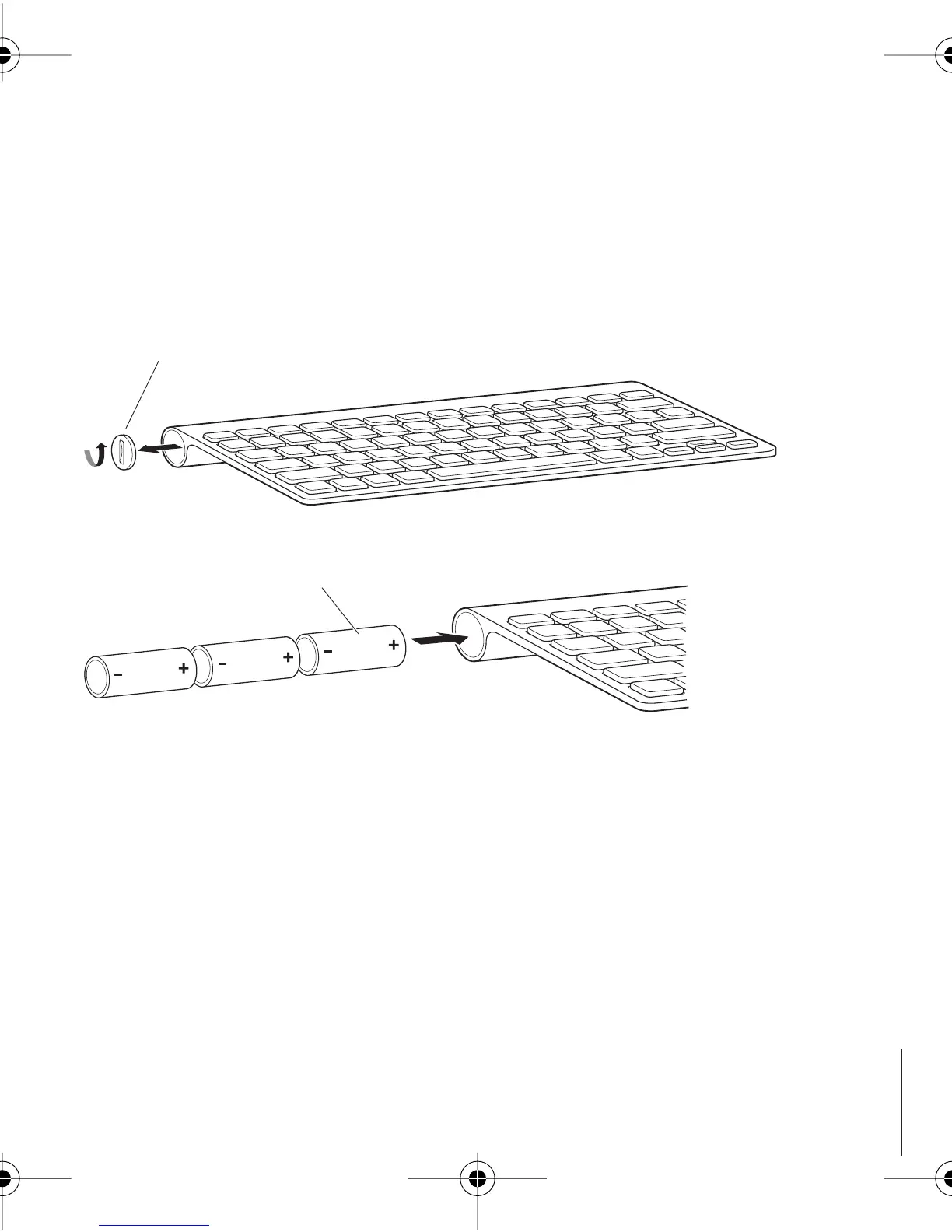
Use a coin to remove the battery compartment cover.
2
Slide the batteries into the battery compartment as shown below.
3
Replace the battery compartment cover and leave the keyboard turned off until you
start up your Mac in Step 3.
Note:
When the Power On light is off, the keyboard is off.
Step 2: Set Up Your Mac
Follow the instructions in the user’s guide that came with your Mac to set it up.
Because you have a wireless keyboard, skip the instructions to connect a USB keyboard.
Wait to start up your Mac until instructed to do so in Step 3.
Battery compartment cover
Insert batteries
2A4319.book Page 3 Wednesday, August 8, 2007 8:52 PM



 To Next Page