Control keys:
F1 ............. Energy Values
F2 ............. Meter Error Test
F3 .............. Transformer Test
F4 ............. Readout Test
F5 ............. Menu
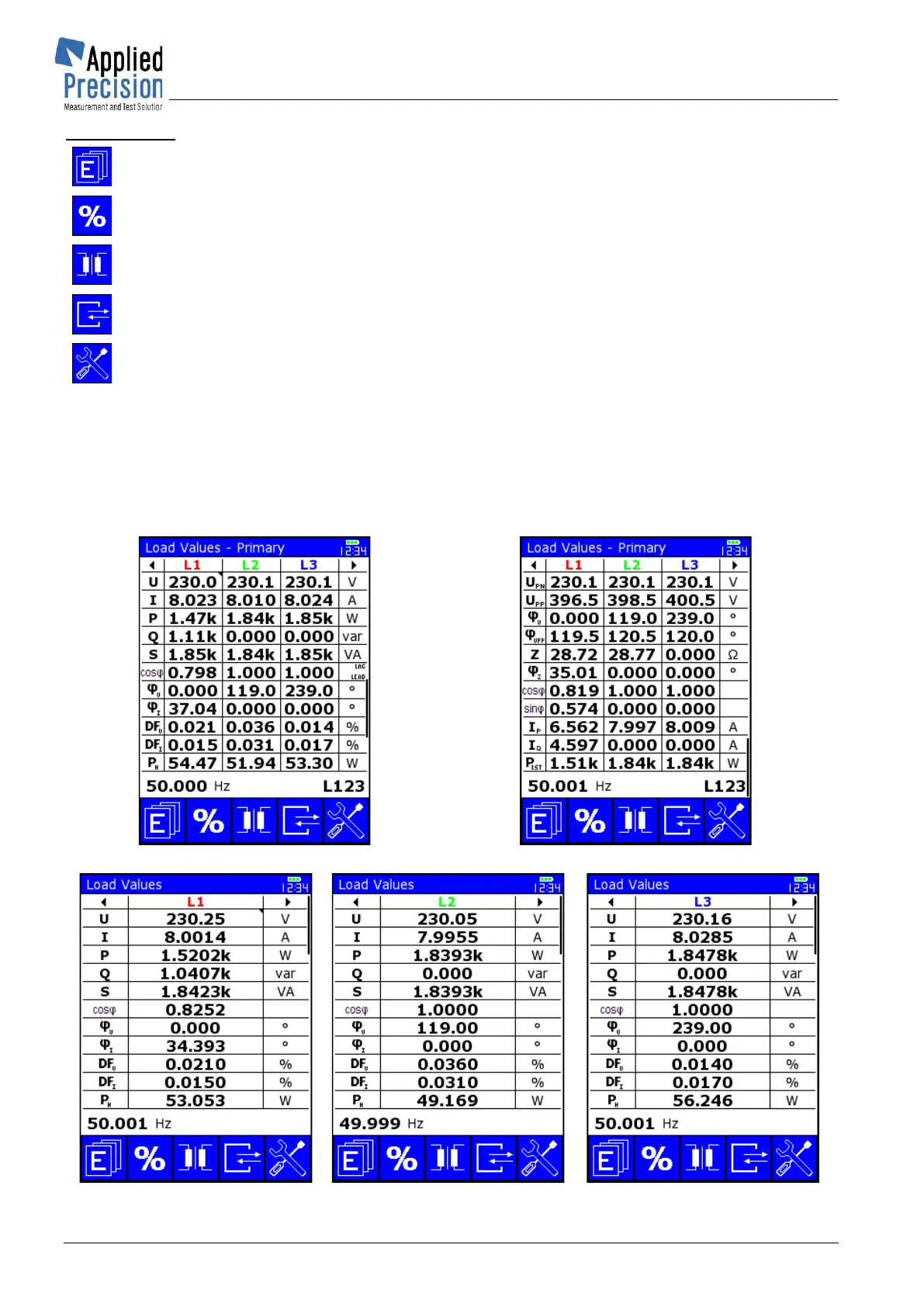
▼▲ .... Scroll Load Values screens: LVa <-> LVa1 <-> LVa2 <-> LVa3 <-> LVa respectively
LVb <-> LVb1 <-> LVb2 <-> LVb3 <-> LVb
To scroll Load Values screens (LVa <-> LVb <-> LVc <-> LVd <-> LVa) use arrows ▼▲ or PgUP
and PgDn keys.
LVc and LVd screens show primary values which depend on CT / VT ratio defined for actual meter.
Other available Load Values screens for WS 2320:



 To Next Page