Content:
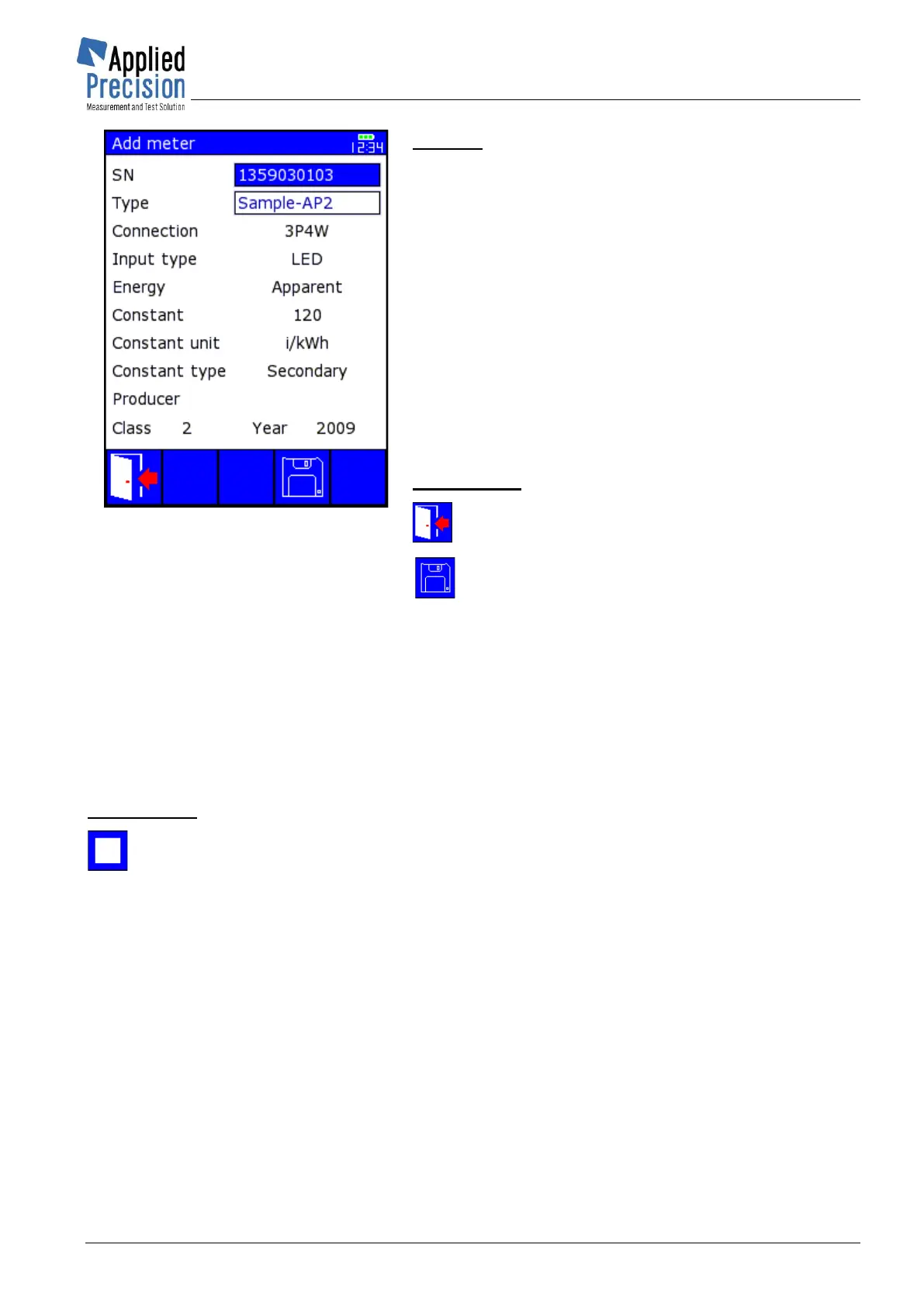
SN ....................... Serial number of meter
Type .................... meter type
Connection ......... connection type regarding wires
number
Input Type .......... error registration method
Energy ................ energy type during test
Constant ............ value of the constant for the selected
registration method
Constant unit ..... unit of constant
Constant Type ... primary or secondary
Producer
Class ................... accuracy class
Year ..................... of production
Control keys:
F1, ESC .. Exit (return to previous page)
F4............. Saves all parameters to newly defined
meter
4.7.2 Optical Sensor Calibration
Optical Sensor Calibration has to be done in case of disk mark of poor quality, week emitting LED of
meter or stronger environmental influence. Calibration process is described in Accessories’ User Guide
in chapter Optical Sensor.
Calibration is activated by key F2 from Meter Error Test page.
Control keys:
F2 ........... Exit (return to previous page)
ESC ........ Exit (end of Meter Error Test)



 To Next Page