Content:
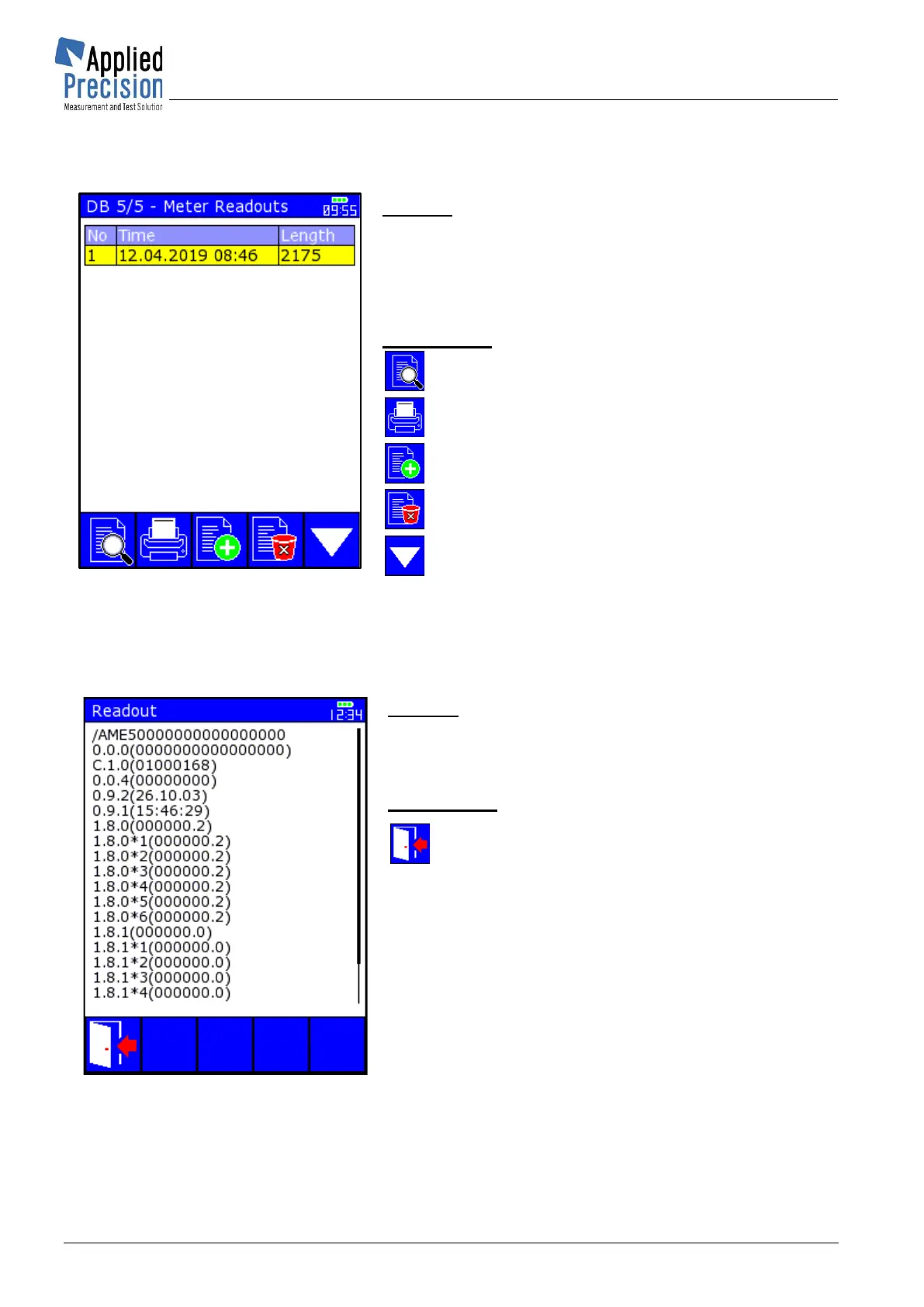
Table of Meter Readouts with columns:
- No. ........ Readout number
- Time .... Date and time of readout
- Length .. Readout length in Bytes
Control keys:
F1 ........ Show selected Meter Readout
F2 ........ Print selected Meter Readout
F3 ........ Add new Meter Readout
F4 ........ Delete selected Meter Readout
F5 ........ Switch to first database screen
▼▲ ..... Navigation in table
OK ....... Confirmation of selected item
ESC ..... Exit screen or close browsing table
Content:
Meter Readout data
Control keys:
F1, ESC .. Exit (return to previous page)
▼▲ ......... Scrolling of readout data down and up
◄ ► ........ Scrolling of readout data left and right
PgDn ........ Paging of readout data downwards
PgUp ....... Paging of readout data upwards



 To Next Page