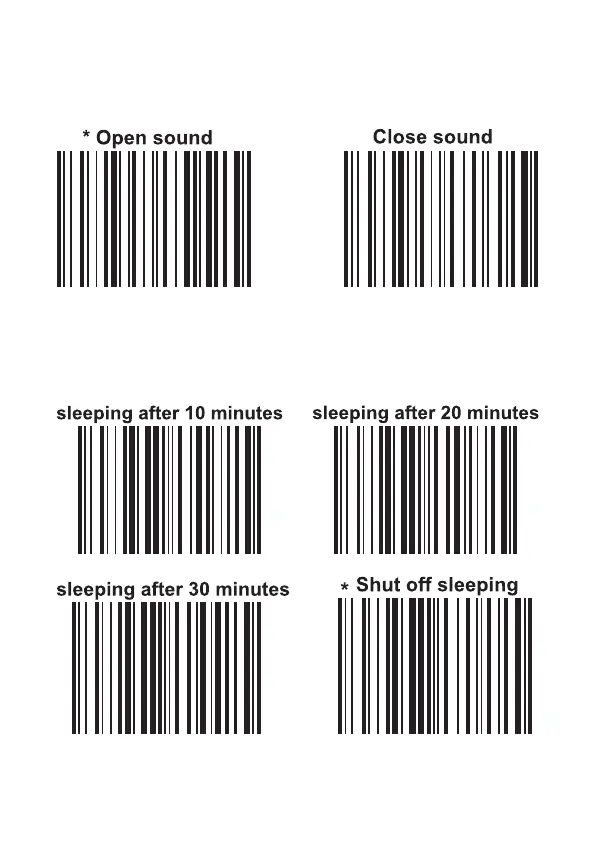
5. Sound settings
Note: After closing the sound, reading the barcode is in the silent state,
but reading the setting codes is in sound state.
6. Sleep setting
When the scanner stops scanning time exceeds the setting time, the
scanner will automatically enter the sleeping state. When something pass
through the scanning window it will automatically wake up.
9


 To Next Page