15
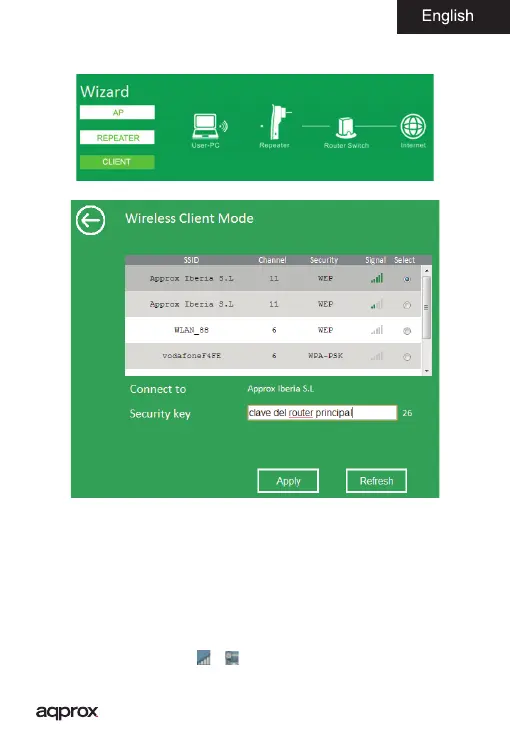
Client Mode (Client)
1. Select the Client within Wizard
2. Select the name of the wireless network you want to connect to
3. In the Security Key eld type the password of the router to which you are
connecting to repeat the signal.
4. Finally click on the button Apply to accept the con guration.
Connect computers to the repeater.
Wirelessly (AP and Repeater mode)
1. Click the network icon (
o ) on the bottom right of the desktop. For
Wi-Fi signal repeater appRP02V2. Click “Connect” and enter the security key
and wait a few seconds.



 To Next Page