6
4. Operating Instruction
4.1 Overall Unit
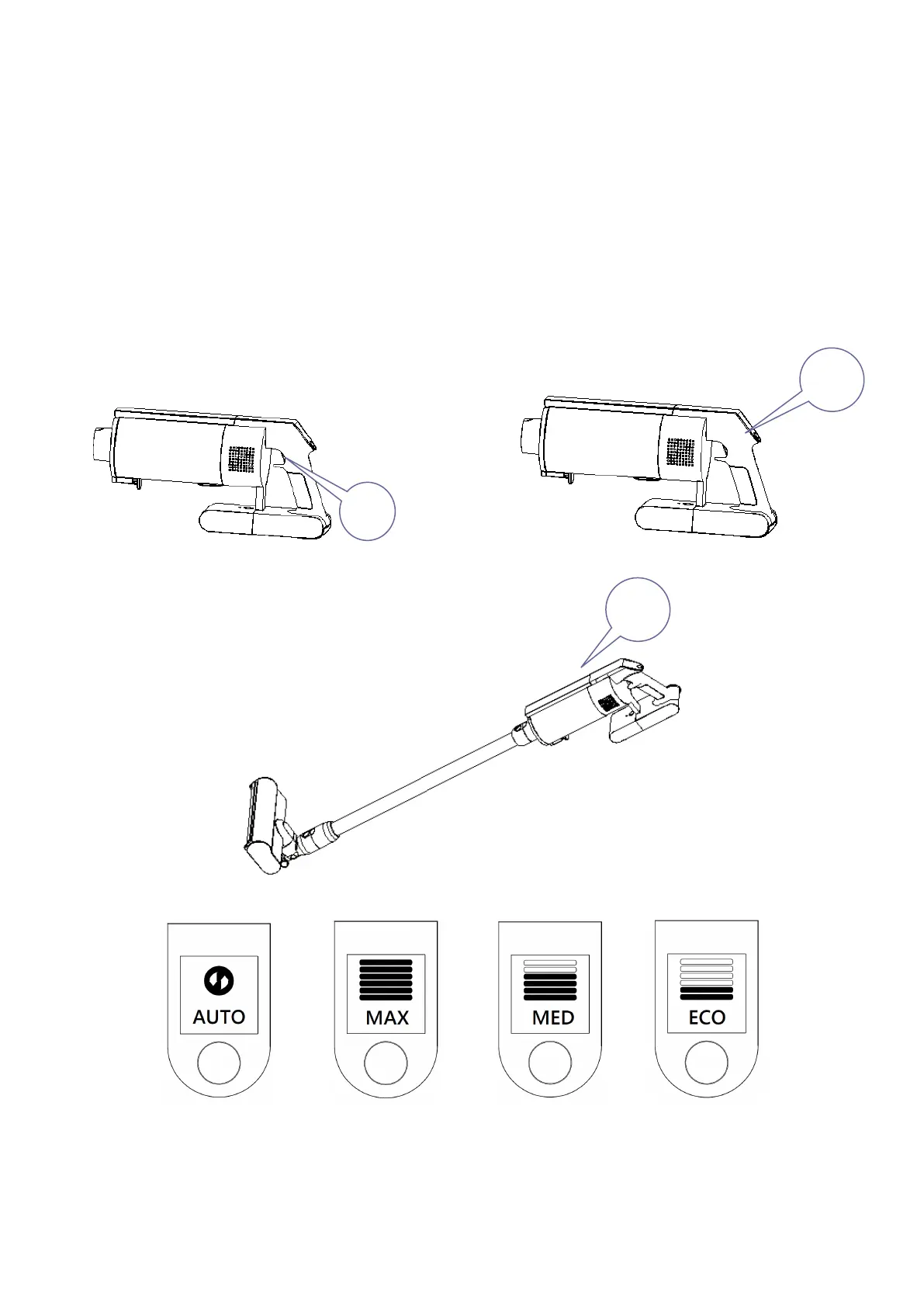
Press the power switch (NO.1) to start the machine and enter the working state, as shown in Figure
4-1. When the rolling brush works to clean floor or carpet, the initial default setting is AUTO gear, and
the AUTO gear will switch to different cleaning modes depending on the surface it cleans (floor or
carpet). Press the speed control button (NO.2) to switch gears, as shown in Figure 4-2. OLED
display (NO.3) is shown in Figure 4-4. If you need to pause, press the power switch (NO.1) again.
Note: The cleaning mode of automatically switching to hard floor mode and carpet mode can only be
used in AUTO gear.


 To Next Page
 Loading...