WIFI-1 WIFI-2 GPS-A VEHICLE CELL-1 DIGITAL 1/0 CELL-2
WIFI-1 WIFI-2 GPS-A VEHICLE CELL-1 DIGITAL 1/0 CELL-2
GPS
Antenna
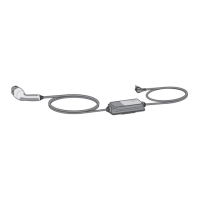
OBD Manual
Trigger
VDR
Cellular
Antenna
1
Connect
cables and
antennas
DIGITAL 1/0
USB HOST
MicroSD
AS1 S2
F
B C D E
USB DEV
VDR
Power on (Blinking)
Software running
GPS signal
received
4
DIGITAL 1/0
USB HOST
MicroSD
AS1 S2
F
B
C
D
E
USB DEV
Check lights
3
Start
engine and
wait 5 min.
Note: Actual accessories and the number and location
of ports may vary. See reverse for details.
See FAQ on reverse or contact your Aptiv representative.
WIFI-1
WIFI-2
GPS-A
VEHICLE
CELL-1
DIGITAL 1/0
CELL-2
GPS
Antenna
OBD
Connect VDR to vehicle
OBD or other
harness
2
VDR Quick Install Guide
Wi-Fi
Antenna
VDR
Manual
Trigger
Document version #1 | Copyright © 2019 Aptiv. All rights reserved. | Confidential
See back of sheet for light troubleshooting.
Optional
Cellular
Antenna
Server connected
(Cell or Wi-Fi)
Cell antenna
syles may vary.

 Need help?
 General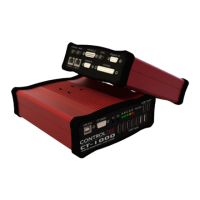

 To Next Page