
 Need help?
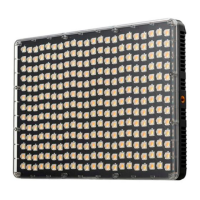
Do you have a question about the Aputure amaran P60x and is the answer not in the manual?
A comprehensive list of essential safety precautions to follow before and during fixture use.
How to connect the fixture using the AC adapter and power cable, including disassembly tips.
Detailed steps for installing and removing Sony NP-F series lithium batteries.
Connecting external V-mount or Anton Bauer batteries using a D-tap to DC cable.
Procedure to turn the amaran P60x light on after connecting to a power source.
Adjusting light intensity (0-100%) and color temperature (3200-6500K) using control wheels.
Using LIGHTING button for CCT/INT and EFFECTS button for light effects like Strobe, Fireworks.
 General
| Color Temperature | 3200K - 6500K |
|---|---|
| Power Output | 60W |
| Cooling System | Passive Cooling |
| Type | LED Panel |
| Control | App Control |
| Operating Voltage | 100-240V AC |
| Power Source | AC Power |
| Mounting | 1/4-20in |

 To Next Page