-15-
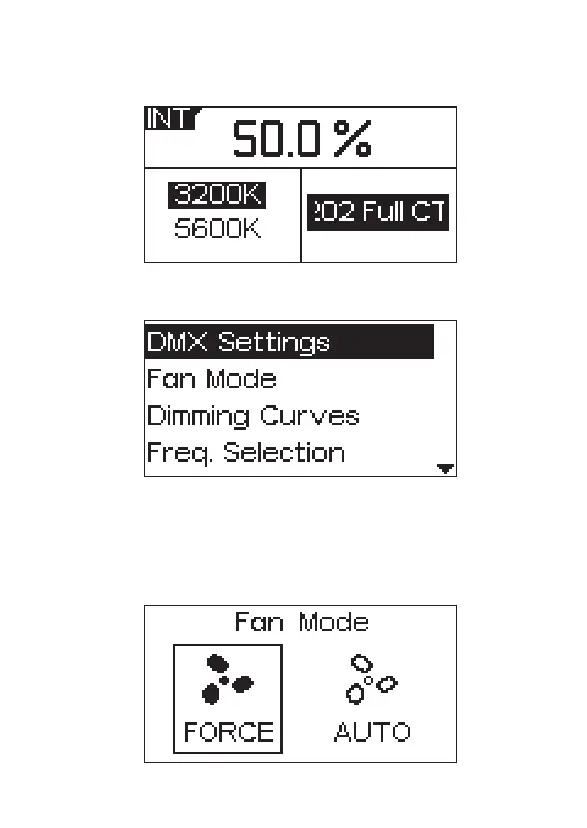
2.3 Press the MENU button to enter the system of menu interface, as shown
below.
2.3.1 Fan mode
Press the MENU button to enter the system menu, rotate the INT control
knob to select Fan Mode, and press the INT knob again to enter Fan
Mode. rotate the INT control knob to select between Force and Auto, and
press the INT control knob to confirm your selection.
2.2.7 Press the INT button to select GEL mode, then rotate the INT control
knob to adjust the brightness, rotate the INT control knob to choose
3200K/5600K and press G/M control knob to enter the interface of GEL.


 To Next Page