-20-
2) Channel Selection
* The default DMX channel is "001".
** The range of DMX channels is 1 to 512.
In DMX mode, match the channel of your DMX controller with the light, and then adjust
accordingly.
4. Controlling Device Via DMX
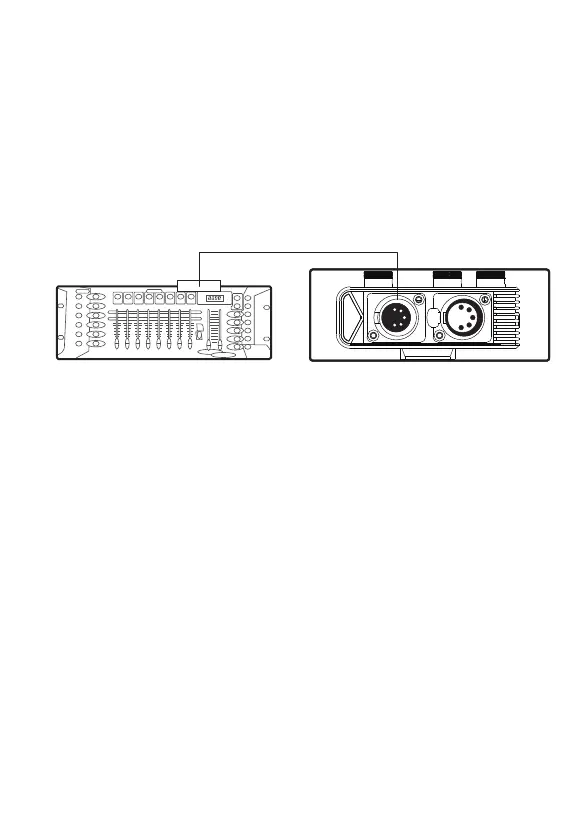
1) Connect the DMX controller's OUTPUT to the Nova P300c controller's DMX
INPUT as shown in the figure below.
DMX512
DMX512
OUTPUT
PUSH


 To Next Page